I spent $3,100 testing AI headshot tools to see which ones actually deliver the best results.
In this post, I’ll share what I found, reveal my top choices, and announce the winner.
I tried free AI headshots, paid ones, selfie-based tools, LinkedIn-style generators, team headshot makers, and more.
Let’s get into it.
My Top 5 Picks
Here’s a short summary of the top 3 AI headshot generators right now:
Disclaimer: This article has affiliate links at no cost to you.
My Results: Quick Overview
Before I show you my overall experience, results, and more, here’s a quick list of the top AI headshot generators with my favorite images from each tool.
1. BetterPic

BetterPic is my top pick for AI headshots.
It makes great images that actually look like you, and you can edit them too.
Plus, they have real human editors who can polish the photos with a final touch.
2. HeadshotsByAI

HeadshotsByAI is another favorite AI headshot generator of mine.
The photos come out sharp, well-lit, and realistic. The only downside is you can’t edit them.
3. Secta AI

Secta AI is another great headshot tool.
It can make both professional and casual photos of you with AI.
The editing options are some of the best I’ve seen.
And the Northern Lights style headshots look amazing.
4. HeadshotPro

HeadshotPro is a solid AI headshot maker with plenty of options.
It’s also the only tool here that can create headshots for public speaking.
Just like the others, it’s simple to use, and the results come out great.
5. Try It On AI

TryItOn makes sharp headshots for both social media and work.
It comes with plenty of editing and customization options.
You can even turn a headshot into a short video if you’d like.
6. Magic Photos AI
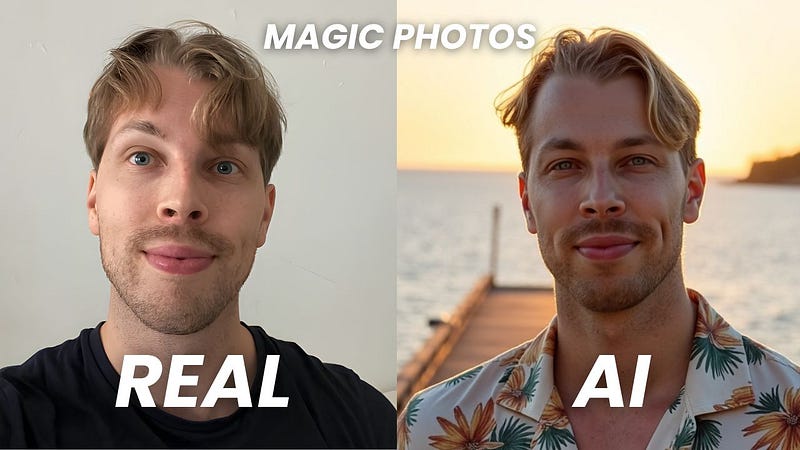
Magic Photos is one of the top tools for dating profile pictures.
It takes your selfies and makes a set of natural, candid-style headshots.
It’s also one of the few headshot generators that lets you edit the results afterward.
7. InstaHeadshots

InstaHeadshots is the top pick for social media profile photos.
You can’t customize the images, but the quality is better than you’d expect.
Most of the results were solid selfies I could easily use on my profiles.
8. Headshot.Kiwi

HeadShot Kiwi isn’t the most well-known tool, but it’s a solid choice.
It makes clean, realistic photos that look less “AI” than many other generators out there.
9. Prophotos AI

ProPhotos is one of the best tools for professional headshots.
If you want sharp, realistic shots in a suit without spending much, this is a good pick.
The only drawback is that it doesn’t offer editing or customization.
10. PhotoPacks AI

Photopacks is a solid, budget-friendly option for headshots.
It’s the cheapest tool I found that still delivers good-looking results. You can’t edit them, but you get plenty of usable photos.
11. AI SuitUp

AI SuitUp is another affordable pick on the list.
It makes headshots that look close to the top tools but for a lower price.
Like some others here, it doesn’t let you make edits.
12. GoStudio AI

GoStudio AI is a low-cost headshot generator you can use for under $20.
It doesn’t offer editing or many style options, but the photos still look sharp and realistic.
13. The Multiverse AI

The Multiverse AI was one of the first headshot generators around. It’s not just old—it also gives you some good customization options.
You just tell it what you’d like in the photo, and it makes it for you.
The downside is you can’t edit the images afterward.
14. Aragon AI

Aragon AI is one of the OGs in the headshot space, launched back in 2022.
It creates realistic headshots that work well for professional use.
You also get solid editing and customization features with it.
15. Portrait Pal

If you’re after vintage-style profile pictures, give PortraitPal a try.
The results aren’t the sharpest, but the photos do have a calm, pleasant vibe.
16. Fiverr AI Headshots

Fiverr is a freelancer marketplace, and you can also find AI headshot gigs there.
It’s not a headshot generator, but you’ll get a real editor who uses their own AI tools to create your photos.
17. ChatGPT

ChatGPT updated its image tech in early 2025, and now you can make AI headshots with it.
All you do is upload a photo of yourself and ask it to turn it into a professional headshot.
18. Profilebakery

ProfileBakery isn’t the best option, but it’s not the worst either.
The headshots look a bit artificial and 3D-like, but they can still work for professional use.
19. HeadshotMaster.io (Free)

Then there are the free AI headshot generators.
The quality takes a big hit since they rely on cheaper tech.
Out of the free ones I tried, HeadshotMaster.io gave the best results.
20. Vheer.com (Free)

Vheer is another free AI headshot tool worth trying.
I hadn’t seen it before, but it gave me solid results. It’s quick and simple—just upload a photo, choose a style, and you’re set.
21. AIEase (Free)

AIEase might be the fastest headshot generator on the list. You don’t have to pay or even sign up.
The catch is the results aren’t great, which makes sense since it’s free.
22. HeadshotPro (Free)

There are also AI tools that just swap out your background.
These don’t rebuild your face—they simply place you in a new setting.
HeadshotPro even has a free background switcher with plenty of choices.
23. PFPMaker

PFPMaker is another tool that only changes your background.
It comes with plenty of background options, and you can also customize your photos quite a bit.
24. Canva Headshot Generator

Last but not least, there’s Canva.
It’s not the strongest headshot maker, but worth a mention since many of you probably already use it.
The headshots work fine for quick drafts or brainstorming without leaving the app.
Plus, Canva’s AI tools keep improving, and there are already plenty of headshot apps inside that could give you better results soon.
Pricing Table
Here’s a table that summarizes the pricing of these AI headshot generators:
| # | Tool | Pricing | Total Grade | Key Highlights |
|---|---|---|---|---|
| 1 | BetterPic | $35 (Basic), $39 (Pro), $79 (Expert) | 4.6/5 | Best overall, human edits, team-ready |
| 2 | HeadshotsByAI | $29 (Basic), $39 (Standard), $59 (Premium) | 4.3/5 | Sharp lighting, no editing |
| 3 | Secta AI | $49 one-time + $5–$20/mo for edits | 4.2/5 | Aurora-style, HEIC support, ~140 results |
| 4 | HeadshotPro | $29 (Basic), $39 (Professional), $59 (Executive) | 4.2/5 | Public-speaking styles, background edits |
| 5 | Try It On | $35 (20), $49 (50), $61 (100) + $9/human edit | 4.2/5 | Fastest, versatile sizes, some editing |
| 6 | Magic Photos AI | $49 (Starter), $59 (Basic), $69 (Premium) | 4.2/5 | Realistic selfies, fast, editing support |
| 7 | InstaHeadshots | $49 (Starter), $59 (Basic), $69 (Premium) | 4.0/5 | Best for social media, fast, great selfies |
| 8 | Headshot.Kiwi | $29 (Starter), $39 (Professional), $59 (Executive) | 3.9/5 | Clean results, poor UX |
| 9 | Prophotos | $25 (Basic), $55 (Premium), $155 (Professional) | 3.8/5 | Professional look, no editing |
| 10 | PhotoPacks | $19 | 3.7/5 | Cheapest decent results, no edits |
| 11 | AI SuitUp | $27 (Basic), $37 (Professional), $57 (Ultimate) | 3.7/5 | Good for LinkedIn, no customizations |
| 12 | GoStudio AI | $24 (Standard), $19/mo (Premium), $49 (Pro) | 3.6/5 | Realistic outputs, no editing, very affordable |
| 13 | The Multiverse | $29 | 3.5/5 | Prompt-based customization |
| 14 | Fiverr AI Headshots | $10–$50 (varies by freelancer) | 3.5/5 | Real human touch, revision friendly |
| 15 | Aragon | $35 (Starter), $45 (Basic), $75 (Premium) | 3.3/5 | Good editing, overfitted poses |
| 16 | ChatGPT | Free (3–5/day), Paid plan for more | 3.4/5 | Ultra-custom, generic look |
| 17 | Portrait Pal | $35 (Starter), $45 (Basic), $75 (Premium) | 3.2/5 | Vintage vibe, simple to use |
| 18 | Profilebakery | $24 (Mini), $29 (Regular), $49 (Pro) | 2.2/5 | 3D-style results, shared folders |
| 19 | HeadshotMaster | Free | 2.0/5 | Free basic headshots |
| 20 | Vheer.com | Free | 1.9/5 | Fast & free, decent results from a single image |
| 21 | AIEase | Free | 1.4/5 | No signup, fastest free option |
| 22 | HeadshotPro (Free) | Free (background only) | — | Background switcher only |
| 23 | PFPMaker | Free (background only) | — | Fast background enhancer |
| 24 | Canva Headshot Gen. | Free | 1.1/5 | Basic filters, outdated tech |
But now, let’s jump into the detailed reviews with more results, overall experiences, pros, cons, and more.
1. BetterPic

BetterPic is my favorite AI headshot generator.
It gave me the best results and the most options for customizing.
The big standout is human editing. On the Expert plan, a real editor fine-tunes your photos so they actually look like you.
Here’s what I got from it.
My Experience
Before I go over my results, let me show you how simple BetterPic is to use.
First, sign up here and follow the instructions.
I picked the Expert plan so I could get the human edits on my headshots. I’ll cover that part next.

To get started, just enter your name, gender, ethnicity, eye color, and what you’ll use the headshots for.

Pick your favorite styles.

Pick all three options to get the best accuracy and variety. I suggest going with the recommended styles for headshots.

Before uploading, make sure to read the image instructions.
This step matters most, since it’s where you show the AI what you look like.
Think of it as training the tool so it can place you into different styles and settings.
Use photos with different lighting, outfits, and poses to give it the best idea of you.

Here are real selfies that I took. I use these with all the other tools on the list, by the way.

I just used regular photos from my camera roll that I’d taken over the years. The hardest part was digging up enough of them.
After I uploaded them, the tool graded the photos and removed the low-resolution ones. That’s really the “toughest” step, since it can take a bit to find enough good shots.
Once I had my set ready, it was time to create the headshots.

It took about 30 minutes to generate 100 images of me.
Here are a few of the results:

I still smile when I look at these, even after seeing them a bunch of times.
They’re that good—sharp, realistic, and spot on. I’m even using one on my LinkedIn.

Here are some more AI headshots:
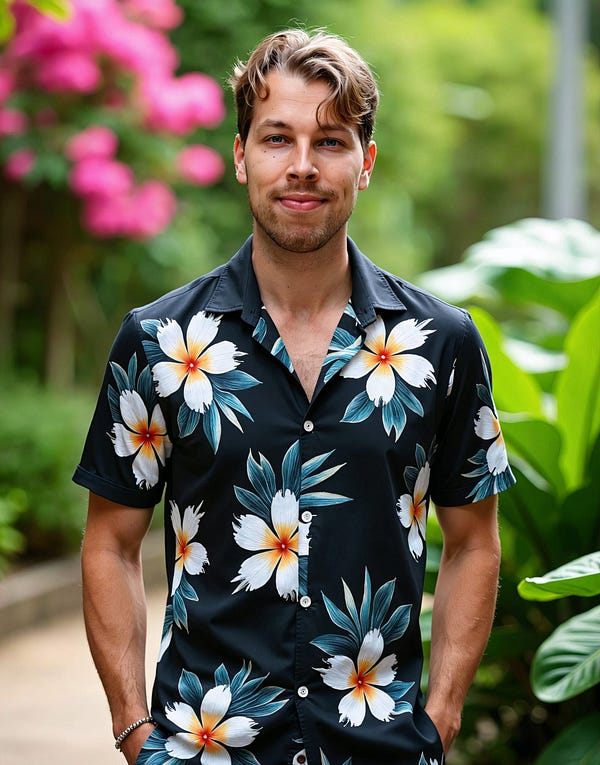
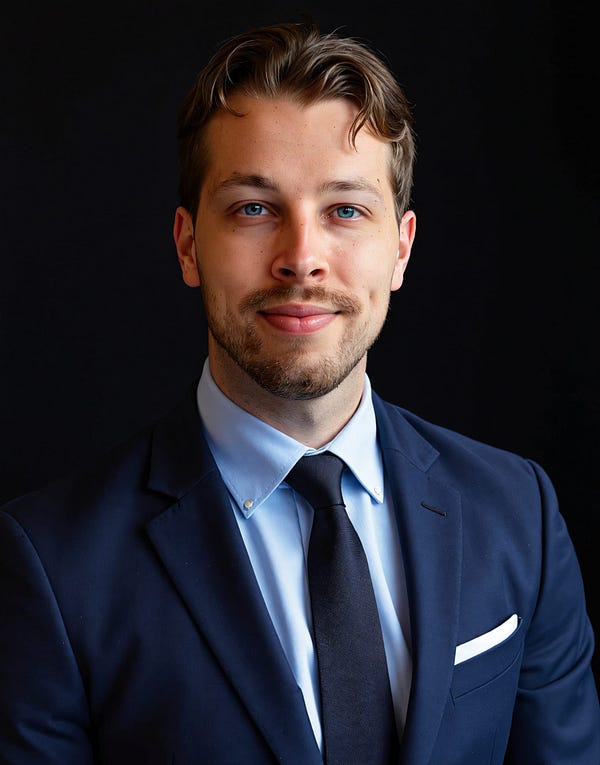

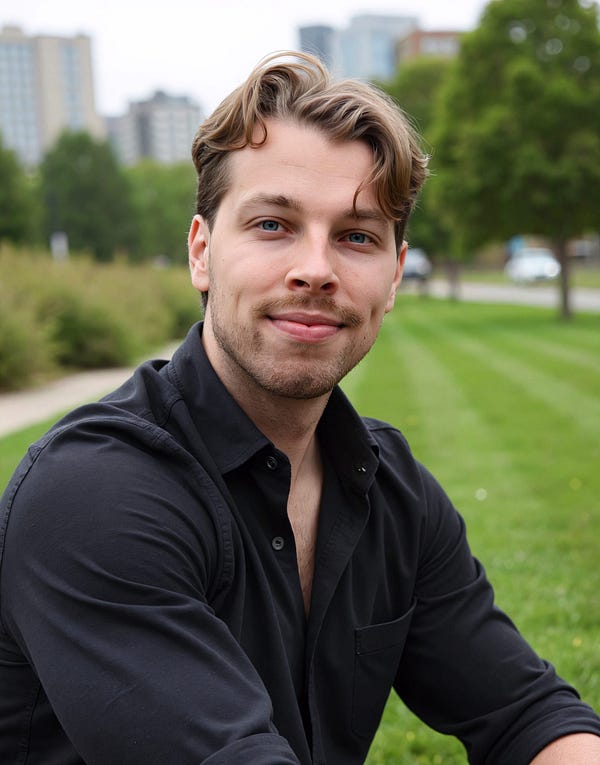
Not every image comes out perfect. BetterPic even says so—most look great, some are just okay, and a few don’t work.
For example, one of mine had small artifacts on the face and teeth. Minor, but still noticeable.
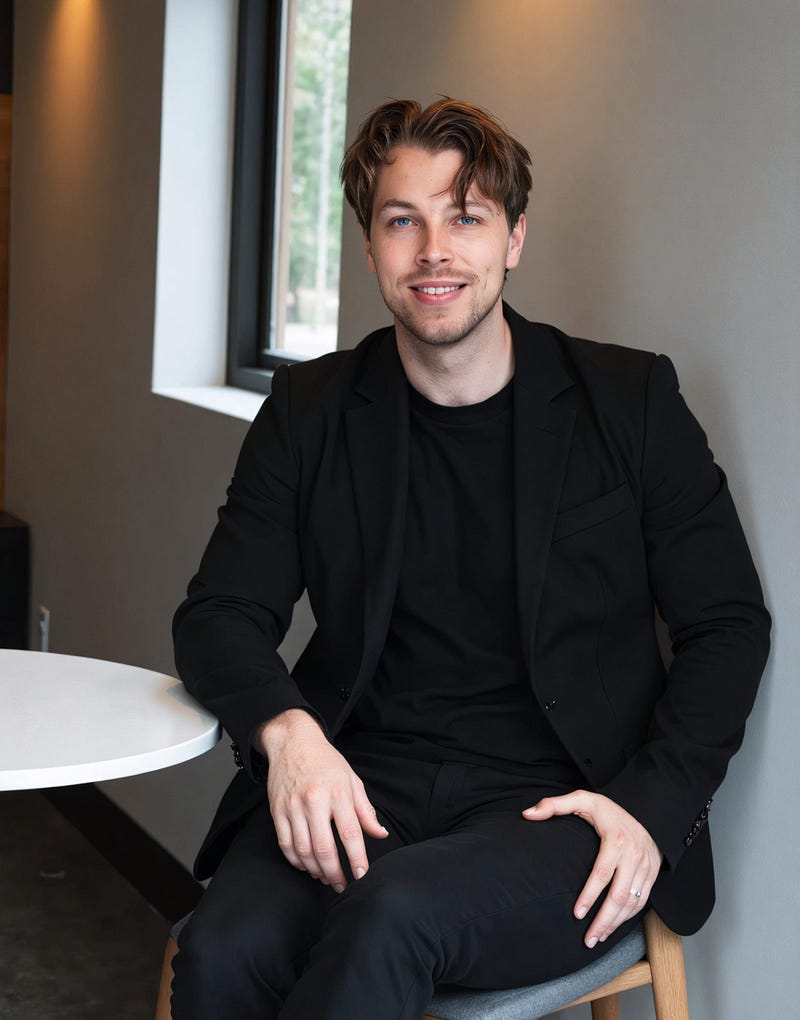
The nice thing with BetterPic is you can fix those AI artifacts quickly and pretty accurately. It’s not magic, of course, and it won’t read your mind.
Just hit the BP AI Edit button.
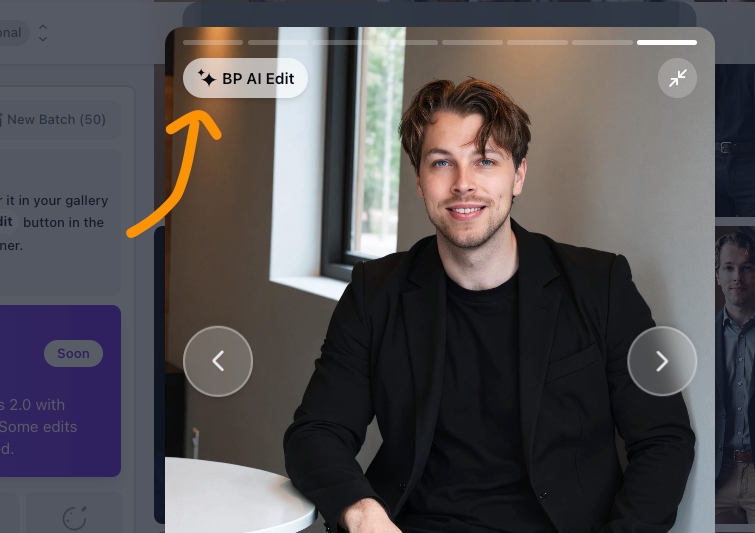
You can also request a manual edit from the BetterPic team to make the photo look exactly like you.
Of course, you can’t expect miracles. But with a real editor, you can get much more done than with just the AI edits—or none at all, which is the case with most headshot generators.

That’s especially useful for teams who want consistent headshots.
Here’s an example of one I got from BetterPic:

The photo looks good, but I’d like to swap the clothes.
With BetterPic, that’s easy thanks to its customization tools.
Just pick an image and hit BP AI Edit to change the outfit.

Next, select the Clothing option under AI edits.
For example, I tried a Christmas outfit:

After about 5–10 minutes, BetterPic gave me 4 versions of that headshot in Christmas-style clothing.
Here are the results:

Pretty cool, right? It’s the same photo as before, just in Christmas style.
I liked it so much I kept playing around. I asked the AI to put me in a dark suit and also in a doctor’s outfit.
Here’s what I got:

This is such an impressive tool.
The other customization options are great too. For example, you can expand your headshots. One of mine looked good, but it was cropped in too close for my taste.

To fix that, I just used the AI Expand option under edits.
It added extra space to the top of the photo, making it look better framed.

Pretty cool, right?
Honestly, this is the best AI headshot generator out there.
I like how versatile it is and that it lets you customize your photos.
You can also create headshots for your team. Just click your account in the top left, and right below that you’ll see the Team option.

The team feature is great.
From the Admin view, you can invite team members to create their headshots.
You can set one common style or let everyone pick their own. Once the headshots are ready, all the results show up in the Admin view.
This saves time since you don’t need to chase people for their photos.
There’s also a full guide on how to use the BetterPic team feature.
I really like BetterPic.
The biggest issue with many other generators is that the results are a 6/10 or 7/10, and you can’t fix them.
With BetterPic, that’s not a problem.
You can clean things up with AI edits—or even better, with Human Edits.
Pros
- Faster than most headshot tools (around 25 minutes vs. 1–2 hours).
- Creates highly realistic images with as few as 8 photos.
- Simple, smooth interface.
- AI editing options like background removal, eye color, and outfit changes.
Cons
- Results aren’t instant—you’ll still wait at least 25–30 minutes.
- Sometimes small flaws show up (weird eyes, imperfect teeth), just like with other AI headshot generators.
Pricing

- Basic: $35 (one time)
- Pro: $39 (one time)
- Expert: $79 (one time)
⭐ My Grade ⭐
- Realistic: 4.7/5
- Customizable: 4.9/5
- Waiting time: 4.0/5
- Total: 4.6/5
To Take Home
I really like BetterPic. The results look realistic, and it’s faster than most other headshot generators.
You also get solid customization and editing options—even manual edits from their team.
For me, this is the best. It’s the standard I’ll compare the others against.
That said, your own features can affect the results. Even with the top tools, I’ve heard of people running into issues. For example, one guy had long hair, but the AI kept giving him short hair in the photos—not ideal.
2. HeadshotsByAI

Next up is HeadshotsByAI.
This tool also takes your camera roll photos and turns them into professional headshots.
The results are sharp and clean—close to BetterPic quality. Honestly, I could even rank it at the top. The downside is you can’t edit the photos. You can only view and download them.
Here’s what I got.
My Experience
First, let me show you how to use it in case you want to try it yourself. Then I’ll go over my results.
First, HeadshotsByAI homepage and log in.

Start by picking the Personal Branding option to generate your images.
Then select your photo gallery from the dashboard:

Enter your details.

Next, upload your input photos.
Here are the ones I used:

Click Start Training.
This sends your photos to the “AI photographer” to learn from.

The AI takes some time to generate the headshots—about 45 to 60 minutes when I tested it.

You’ll get an email when your headshots are ready:

Then just enjoy your results.

Here are the results I got:

Pretty cool, right?
These look so realistic you’d never guess they were AI-made.
Here are more of the photos it created for me:

I really like the lighting and outfits in these shots.
The quality here beats any other headshot tool I’ve tried.
That said, a few photos made my forehead look taller than it is—but that might just be me noticing after years in the mirror.
There were also some small artifacts, like odd teeth or skin that looked too smooth:

But those flaws are minor—you probably wouldn’t even notice them.
Pros
- Faster than most AI headshot tools (about 25 minutes vs. 1–2 hours).
- Very realistic results with as few as 8 photos.
- Simple, easy-to-use interface.
- Editing options like background removal, eye color, and outfit changes.
Cons
- A 25-minute wait might still feel long to some.
- Occasional small flaws (weird eyes, imperfect teeth), similar to other AI tools.
Pricing

- Basic: $29 for 30 headshots
- Standard: $39 for 60 headshots
- Premium: $59 for 120 headshots
⭐ My Grade ⭐
- Realistic: 4.6/5
- Customizable: 0/5
- Waiting time: 4.0/5
- Total: 4.3/5
To Take Home
These are definitely some of the best headshots I’ve seen. I highly recommend it.
The only drawback is you can’t customize the photos. That’s something you almost need with AI headshots. Because of that, HeadshotsByAI can feel a little overpriced, since other top tools give you similar results plus editing options.
Where it really shines is the lighting. Out of all the generators I tested, these shots had the best lighting. The images are also very sharp, which I liked a lot.
The main issue is you can’t fix the ones that miss. Some photos had blank stares, messy lips, or odd teeth.
Still, it’s worth a try!
3. Secta AI

Secta AI is a great headshot generator that turns your selfies into headshots in different styles.
You can choose anything from casual selfies to formal portraits.
And as a Finnish guy, I have to point out the Aurora Borealis style—I really liked those.
Anyway, let me show you how it works and what I got from it.
My Experience
First, let me show you how to create headshots with Secta AI.
Start by going to their homepage.

Right away, you’ll be asked to pick a plan.
Secta keeps it simple with just one paid option at $49.
There is a catch though—edits cost extra, about $5–$20 a month if you want them. (I’ll cover that part later.)

After you buy a package, set your preferences—things like gender, ethnicity, and hair color.

Pick the AI photoshoot styles.

Next, pick the types of headshots you want from the preview list. You can choose up to 20 styles.
Then comes the hardest part—uploading a bunch of photos of yourself for the AI to train on.

Here you’ll need to upload at least 20 photos, which is more than any other headshot generator I’ve tried. It can take a while to dig up that many.
One thing I liked is that it accepts HEIC images from my Mac. No need to convert them—just drop them in.

After you’ve uploaded your photos, move to the next screen.
There, you’ll be asked to pick your favorite photo:

Once you hit “Submit”, it starts creating your AI headshots. This process takes a while. For me, it took about 3 hours from submitting to receiving my headshots.
But you don’t need to wait. Just check your email, and once you see an email like this, your headshots are ready:

Pretty handy, right?
Now let me show you my results.
Here’s the first set:

Each set comes with 20+ images, so I ended up with over 140 headshots in total.
Here are some more from Secta:

Here are a few of my favorites up close:


Aren’t those amazing?
The aurora borealis one is my favorite—it not only looks like me but also feels like home.
Overall, just awesome.
This tool also lets you edit your headshots.

The edits aren’t free, though. You’ll need a monthly subscription, which was a first for me.
Most other headshot tools include edits for free or let you use credits. Here, it can cost up to $20/month.
For example, I tried editing one of the Northern Lights shots to put me in a red outdoor outfit:

After about 5 minutes, I got these results back:

These came out great! Let me zoom in—here are three sharp edits with the red outfit:


For comparison, here’s the original AI-generated photo:

These turned out so well that I had to try more.
This time, I asked for a light blue polo shirt:

A couple of minutes later, here’s what I got back:

Pretty cool! Here’s a zoomed-in version of one of the shots:

The only drawback is that edits can make the photos look a bit less realistic. Sometimes the edges look like they’ve been copy-pasted.
That said, the edits still let you change backgrounds, outfits, regenerate certain shots, and more.
Pretty cool, right?
Pros
- Creates 140+ high-quality headshots
- Wide range of styles, including the Aurora Borealis look
- Simple $49 pricing, no confusing tiers
- Works with HEIC images (great for Mac users)
- Lets you set details like gender, ethnicity, and hair color
- Email notification when your headshots are ready
Cons
- Some photos come out odd or uncanny
- Edits can’t fully fix the worst shots
- Editing costs extra ($5–$20/month)
- Needs 20+ photos to get started
- Takes about 3 hours to generate results
- No free trial or preview before paying
- You’re asked to pick a plan right away
Pricing

For personal use, there’s a simple one-time fee of $49.
Companies and communities can pick from larger plans.
⭐ My Grade ⭐
- Realistic: 4.6/5
- Customizable: 4.7/5
- Waiting time: 3.5/5
- Total: 4.2/5
To Take Home
I really like my Secta AI headshots. The results were mostly solid.
With most headshot tools, only 5–10% of the photos are actually good. The rest aren’t very usable.
With Secta, about 20–25% of the shots came out good enough to use.
The editing features are also very complete, but the downside is they come with a monthly fee.
4. HeadshotPro
HeadshotPro is an awesome AI headshot tool that can even create public-speaking style headshots.
This tool also lets you edit your AI headshots, which a lot of tools don’t really offer.

My Experience
Let me first show you how to use this headshot generator.
Step one: sign up for the service.

Upload images of yourself. I use the same ones I’ve already shown in this post. Just a bunch of regular selfies of me.

Then specify your details.

Then just wait.
It can take longer when demand is high, but usually the headshots are ready in about 1–2 hours.
You’ll get an email from the team when they’re done.

Here’s a before-and-after of one of my HeadshotPro headshots:

You don’t just get one image—you get a whole set.
Here are some of the better results I got:


Realistic, sharp, and versatile. I like it.
The public-speaking headshots are also really cool—I don’t think any other tool can do that right now.
That said, the closer you look, the more fake some shots appear. I’d say 80–90% fall into that range.
You can still edit the headshots, though.
For example, here I asked the AI to put a café background behind mine:

Pretty cool—and not many headshot generators let you do this!
Pros
- Very realistic results
- High-quality images
- Faster than hiring a photographer
- Good customization options
Cons
- Edits create new images instead of changing the original ones
- Can feel pricey if you’re on a budget
- Some shots still look a bit artificial
Pricing

- Basic: $29
- Professional: $39
- Executive: $59
⭐ My Grade ⭐
- Realistic: 4.5/5
- Customizable: 3.5/5
- Waiting time: 3.9/5
- Total: 4.2/5
My Take
I like HeadshotPro.
In my opinion, it’s one of the best AI headshot generators.
The downside is that some results look a bit artificial, and in many shots I looked tired. It also doesn’t have the human edits that BetterPic offers.
The standout feature, though, is the public-speaking images. They look superb, and I haven’t seen another tool do this (except ChatGPT).
I’d give it a try. These headshots are insanely good for social media profiles.
5. Try It On AI

Try It On AI is one of the best headshot generators out there. The images look realistic, and it’s the fastest paid tool on this list.
You can make edits and customizations, and there’s even a human editor who can polish the final shots.
The only drawback is the price—you’ll need to pay more to get the best results.
Here’s what I got from it:
My Experience
To try it, head over to their homepage first.

I recommend going with the Professional plan—it gives you 100 headshots.

Read the instructions next.

Enter your details, then upload your selfies.

Uploads can fail if your photos are too small. If that happens, just pick a different one.
Next, choose your photoshoot styles. There are plenty of AI headshot looks to pick from.

Set your characteristics.

After the selfies are validated, hit Send.
When the AI finishes, you’ll get an email with your photos.
For me, it took only about 10 minutes—crazy fast. But are the results any good?
Here’s what I got:

What I like about Try It On AI is the variety in image sizes. Most other generators force one size, but here you get shots in different aspect ratios.
And these definitely look like me.
You can also edit your photos with AI. Just click an image to open it, then pick one of the edit options in the top left corner:

For example, you can change the background, remove things, re-generate images, and more. You can even turn one into a video.
Just make sure to save the email or catalog link—there’s no sign-in for Try It On AI, and that’s the only way to get back to your images later.
Pros
- Cheaper than many other AI headshot generators
- Simple to use—just upload selfies and wait about an hour
- Realistic results that actually look like you
- Good editing and customization options
- Lots of variety in image sizes and styles
- Most photos come out clean with little to no artifacts
Cons
- Some shots may fail or not look like you
- A few photos have a 3D-rendered vibe
- Customizations aren’t the strongest, and if you use them wrong, you’ll waste credits
Pricing


Pretty cool—but what about the pricing?
- 20 headshots: $35
- 50 headshots: $49
- 100 headshots: $61
If you want a human to edit your photo, it’s $9 per image. Not bad at all.
⭐ My Grade ⭐
- Realistic: 4.1/5
- Customizable: 4/5
- Waiting time: 4/5
- Total: 4.2/5
To Take Home
Try It On AI is really good.
The results are some of the best I’ve seen, the speed is impressive, and you do get customization options.
That said, your mileage may vary. For me, it’s still not the very best—BetterPic is way ahead of the pack.
The biggest issue here is the user experience.
Honestly, it was rough. I felt stuck using the app with no alerts or warnings, and I couldn’t continue creating headshots. Before seeing the results, it felt like a waste of time and money. But after pushing through and finally getting the photos, I thought it was worth including here.
6. Magic Photos AI

Magic Photos AI is one of the best tools I’ve tried for social media or dating profile pictures.
It’s less of a professional headshot tool and more of a candid photo generator.
That’s not how they market it, but that’s where it shines.
The lighting is good, the quality is clean, and most shots looked like natural selfies I’d post on Instagram.
Here’s what I got from Magic Photos AI.
My Results
First, let me show you how simple it is to use this headshot generator.

Go to their site, sign up, and start a new photoshoot.
Give it a name (use your own name) and set your gender.

Next, it’s time to show the AI what you look like. For the best results, make sure to read the instructions carefully.

Upload your photos by dropping them into the view.
The tool will run a quick quality check. If a photo is too low-res, the AI won’t accept it—otherwise, you’d risk distorted results.

Pick a plan:

I went with the $69 plan—it gives you 200 headshots, 10 styles, and the fastest turnaround.
Next, it’s time to pick your styles. Magic Photos has plenty to choose from.

After picking your styles, double-check everything on the final screen before generating.

Then just hit start.
On the highest plan, it takes about 15 minutes. With the cheapest one, you’ll wait around 90 minutes.

When processing is done, open your profile to see your headshots. You’ll also get an email once they’re ready.
Here are mine:

Aren’t those great? They really look like me. In some of the 10 styles I picked, it’s almost impossible to tell the difference.
One thing that threw me off at first—the previews have watermarks, even on a paid plan.
Don’t worry, they disappear once you download the files. The watermarks are just there to stop people from saving the previews and then canceling their plan.
Anyway, here are a few of my favorites up close:
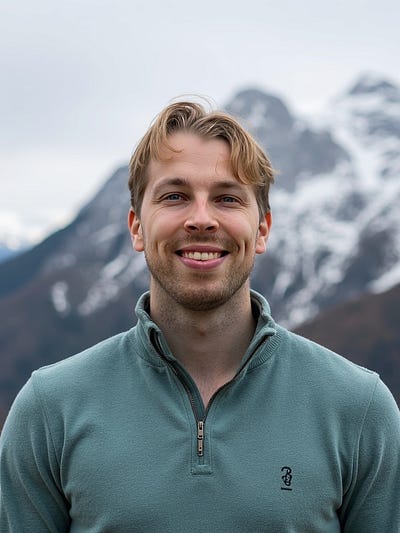
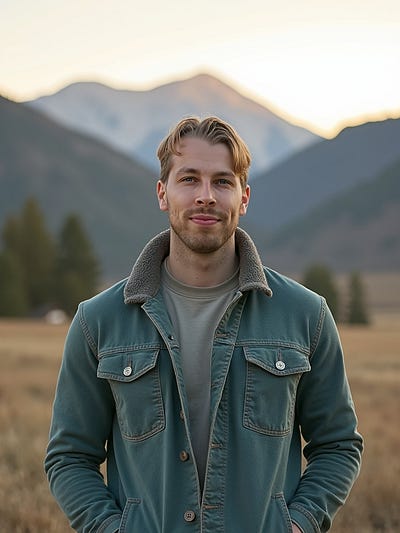
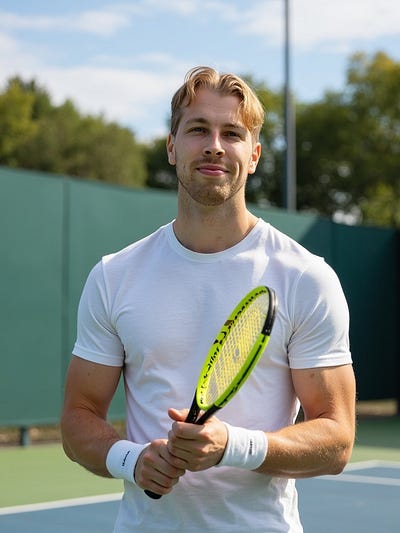


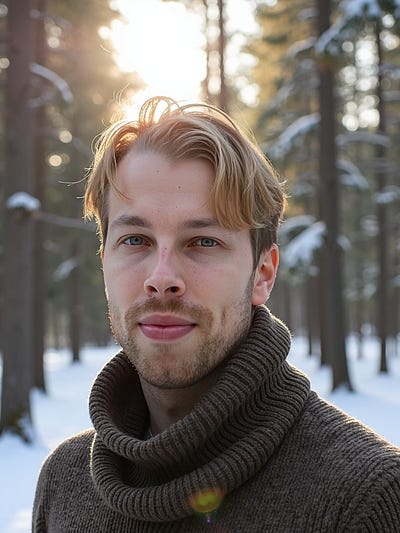
All of these look realistic and actually like me.
With so many styles and photos, I ended up with at least 1–2 usable shots from each set of 10 styles. That’s solid, since many headshot tools only give you 0–5 good ones total. This one gave me at least 20.
You can also edit your photos. Just pick an image and click Edit.

Then choose what you want to edit.

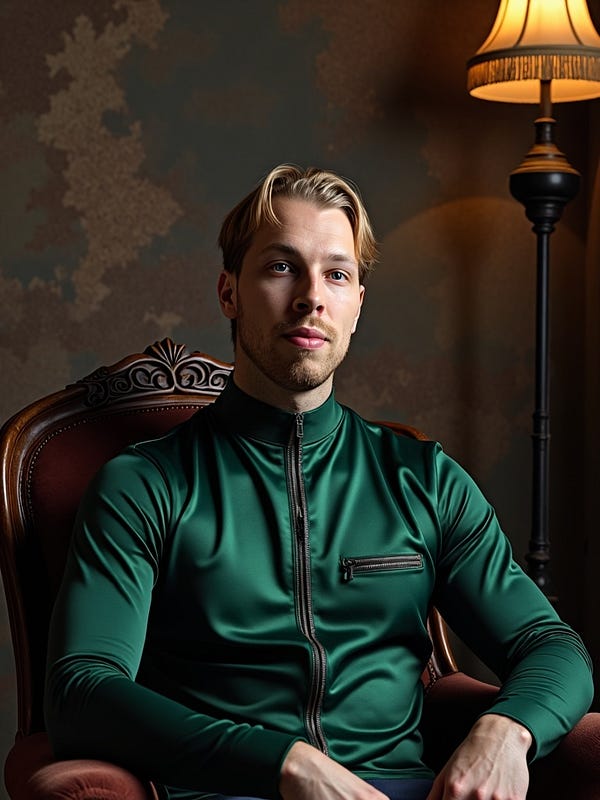
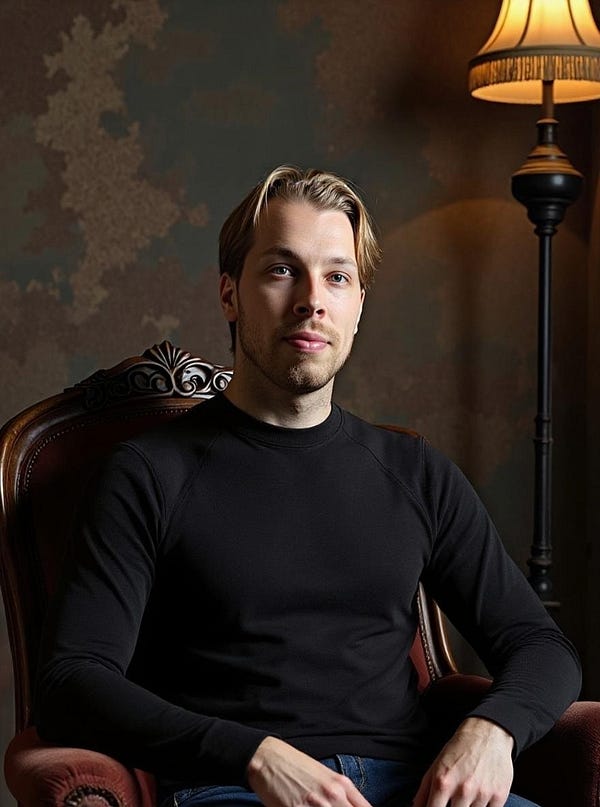
For example, in the image above I swapped out my bright green tight shirt for something more subtle.

After about 2 minutes, here’s the result I got:

Much better! It’s the same headshot, just with a nicer outfit.
Pros
- Turnaround was about 15 minutes—one of the fastest tools I’ve tested.
- Most headshots looked very realistic. A few had small quirks, but nothing major. In every style, I got at least 1–2 usable shots, which added up to 20 great headshots in my plan.
- Even the top plan is under $69, still way cheaper (and easier) than hiring a photographer.
Cons
- Some photos turn out bad or uncanny—no way around it.
- Editing options are limited compared to tools like BetterPic, though it’s still one of the few that even lets you edit.
Pricing

- Starter: $49
- Basic: $59
- Premium: $69
⭐ My Grade ⭐
- Realistic: 4.0/5
- Customizable: 2/5
- Waiting time: 4.5/5
- Total: 4.2/5
To Take Home
Magic Photos AI is a solid pick for profile pictures, dating images, and more.
Some photos look overly smooth or too polished, which makes them feel a bit AI.
But others came out so good I had to look twice.
The main drawback is editing. If a shot fails, you can change the outfit, regenerate, or improve the resolution—but there’s no human edit or try-on-clothes option.
Still, for Instagram selfies or profile pics in general, Magic Photos AI is worth a try. Some of the results are surprisingly spot-on.
7. InstaHeadshots

InstaHeadshots is the best AI tool I’ve found for social media profile pictures.
It’s not marketed that way, but that’s where it shines. The results look good, the lighting is on point, and most of the shots came out as natural-looking selfies I could post on Instagram.
Here are the results I got from InstaHeadshots:
My Results
First, let me show you how to use InstaHeadshots. After that, I’ll share the results I got with it.
First, head over to this page.

Sign up for the service. You can even use Google to skip a few clicks and avoid remembering another password.

Create a new profile.

Pick the plan.

Read the instructions for uploading selfies.

Upload your photos, answer a couple of quick questions, and wait.
For me, the results showed up in about an hour.
When they’re ready, just open your profile to view your images.

Click on a page that looks like this again:

And here are your AI-generated headshots:

You can’t edit photos with InstaHeadshots, but most of them come out so good that you don’t really need to.
Most of my results were selfies, probably because I uploaded a lot of selfies as input. Either way, they turned out great and are perfect for social media.
Here are some of them:

Here are a few more headshots I got from this service:

Those look pretty accurate. Hard to believe they’re AI and not real photos, right?
One thing that threw me off for a moment—the images show watermarks when you open them, even on a paid plan.

But the watermarks disappear once you download the images.

The watermarks are just there to stop people from generating headshots, saving them, and then canceling for a refund. Basically, they don’t want you to steal the photos.
Pros
- Wait time was about an hour, which isn’t bad compared to the days or even weeks it takes with a real photographer.
- Headshots look realistic. A few small artifacts, but nothing that ruins them.
- Even the top plan is under $100—still way cheaper (and easier) than hiring a photographer.
- Free option available. It’s slower, but good if you’re not in a rush.
Cons
- Many images came out a little blurry, and some expressions looked blank. They seem fine at first glance, but feel artificial the longer you look.
- Still a bit pricey, especially since many AI headshot tools offer free trials.
- No in-app edits. If you want to tweak your photos, you’ll need another generator.
Pricing

- Starter: $49
- Basic: $59
- Premium: $69
⭐ My Grade ⭐
- Realistic: 4.0/5
- Customizable: 0/5
- Waiting time: 4.0/5
- Total: 4.0/5
To take home
InstaHeadshots works well for social media profile pictures.
Some selfies look a bit too smooth and artificial, which gives away the AI factor. But others came out awesome and very realistic.
There’s a free version, though the wait time is long.
The downside is the lack of editing. Some photos are close to good but just slightly off, and you can’t regenerate them.
Still, if you want Instagram-style selfies made with AI, it’s worth a try. Some results are surprisingly accurate. The only reason it’s lower on my list is consistency—out of 100 images, I’d say only 5–10 were usable.
8. Headshot.Kiwi

Headshot.Kiwi is one of the better AI headshot tools out there.
It’s quick, gives realistic results, and is fairly easy to use.
The drawback is you can’t tweak or customize the photos, which is why it’s not higher on the list.
Here are my results:
My Experience
To use it, first head over to their website and sign up.

I recommend the highest plan since it gives you 100 headshots.
Like I always say, some AI shots will turn out bad. But with dozens—or even hundreds—you’ll end up with plenty of good ones.
Just follow the steps on the site, and pay close attention to the image instructions.

That way you’ll get the best results.
Once you’ve gone through the rules, upload a batch of your photos to the generator:

Just use regular selfies or shots from your camera roll. They don’t need to be professional—the whole point is turning basic photos into pro headshots.
But I have to mention, the UX here is bad. Really bad.
Here’s what happened when I tried uploading my images:

It was also tough to start creating images because my inputs kept showing “errors.” The tool never explained what was wrong.

Once your images are uploaded and validated, click Start AI Photoshoot.

Then just wait—it takes under an hour for the headshots to be ready.
The tool doesn’t send a notification, so you’ll need to check back yourself.
Here are my results:

Some of these look great—good enough for me to use on social media.
That said, the tool still feels a bit like a weekend coding project. The UX is rough. It stalls, lags, and lacks the clear workflow that other tools have.
Even so, the results are solid. And while you can’t edit them, it’s still one of the better tools on the list.
Pros
- Cheapest plan is slightly more affordable than most other generators
- Fairly easy to use
- Results look realistic
- Lots of variety in the photos
- Most shots come out clean with few glitches
Cons
- Some shots miss the mark or look a little off
- A few have a 3D or overly rendered feel
- No editing options—you’re stuck with what the AI makes
- All images are forced into the same size
Pricing

- Starter: $29
- Professional: $39
- Executive: $59
⭐ My Grade ⭐
- Realistic: 3.9/5
- Customizable: 3/5
- Waiting time: 5/5
- Total: 3.9/5
To Take Home
Headshot.Kiwi delivers.
The headshots it made are some of the best I’ve seen.
Still, the lack of customization and the wait time keep it lower on this list.
The user experience is also rough. At one point, the tool crashed while I was uploading my photos, with no warnings or alerts. I had to figure it out myself, which gave me that “weekend project” vibe.
But the results were good—so it’s hard to complain too much.
Just be patient while creating and waiting for your headshots.
9. Prophotos AI

ProPhotos is another great AI headshot generator that I’ve tested.
It’s a very early tool in this space and one of the first ones I tested back almost two years ago.
To be honest, the results weren’t that good a year ago, but these days, they’ve updated to a better model and the results are really nice.
My Experience
First, watch the intro video on their page. (I’ll cover the same steps here too.)

Before you use the tool, make sure to read the instructions first.

Here are my real images that I sent for the AI to learn what I look like:

Pick your gender and eye color to help guide the AI.

Click Start and wait.
For me, it took about 30 minutes to get the images.

After the wait, I got this email letting me know the images were ready:

Here are my results:

These have a similar vibe to the ones I got from PortraitPal. I like them—super realistic, natural, and calm.
I could definitely use one of these on LinkedIn.
And to show you how far this tool has come, here are the headshots I generated just 8 months ago:

Those looked impressive back then—but today, they feel pretty basic.
Since then, ProPhotos has made big changes to their system, and now the images look super realistic.
Here are the new ones:

That’s a big improvement!
One downside is they removed the replicate feature, which is a bit disappointing.
Before, I could make similar shots like this:

But that’s no longer possible.
And since they haven’t added editing, this tool sits lower on the list.
All you can do here is view and download.

Now that I’ve covered a lot of headshot generators (and more are still coming), I want to point out one thing: your mileage may vary.
What’s #1 for me might only make your top 10—or not even rank.
That’s why I suggest picking a few tools from this list that you like, trying them, and asking for a refund if they don’t deliver. (Just make sure the tool you pick actually offers refunds.)
With that said, here are the pros and cons of ProPhotos:
Pros
- Realistic, versatile headshots in different scenes
- Reworking feature to refine images
- Faster than many other tools
- Accepts photos easily, no need to upscale first
Cons
- Some shots didn’t resemble me as well as the top tools
- A few came out low-res or with a slightly “robotic” look—but most were great
Pricing

- Basic: $25
- Premium: $55
- Professional: $155
⭐ My Grade ⭐
- Realistic: 4.5/5
- Customizable: 0/5
- Waiting time: 4.2/5
- Total: 3.8/5
To Take Home
ProPhotos is an affordable AI headshot generator that turns your selfies into something sharper with AI.
Out of the 100 shots I got, I liked at least 10.
The lack of customization is a big drawback, but the results are strong—especially for the price. The tool has also made huge improvements over the past year.
The first time I tried it, the images looked bad and artificial.
Now, it’s one of the top 10 AI headshot tools out there—a big step forward.
10. PhotoPacks AI

As you can see on this list, AI-generated headshots usually cost a lot.
But I found a cheaper option that delivers results just as good.
It’s called PhotoPacks AI.
This headshot generator makes great headshots for only $19.
My Experience
To use this tool, first, you need to sign up for PhotoPacks AI.

Then, click “Get Your Headshots”.

Purchase the photo pack:

Answer a few questions about yourself so the AI knows who you are and what kind of headshots to make.

Next, choose the main style for your headshots. I picked a business style.

Next, upload your images to the AI.
Make sure to follow the instructions so you get the best-looking AI headshots.

Here are my images:

Then just wait for the AI to create your headshots. This can take a while.

This tool is a bit slow.
For me, it took around 4 hours to get my headshots. They say it can take up to 24 hours. You’ll get an email when they’re ready.

Here are a few AI headshots I got from PhotoPacks AI:

They look just like me! The shots are versatile, well-lit, and mostly perfect.
Here are a few more AI headshots I got:

This is my favorite business AI headshot from PhotoPacks:

On the flip side, don’t be surprised if some headshots don’t turn out great.
Here’s one of my least favorite ones:

Most of my headshots actually came out OK or even really good. There weren’t as many bad ones as I expected from a cheaper tool. I’d say the results are on par with other AI headshot generators.
Pros
- Easy to use. Just sign up, answer a few questions, upload your images, and wait.
- Realistic. The headshots look like you and feel very real, at least in my experience.
Cons
- No edits. You can’t tweak the images. If one turns out bad, it stays that way.
- Slow. It can take up to 24 hours to get your headshots, which is slower than most other tools.
Pricing

PhotoPacks headshots only cost $19.
⭐ My Grade ⭐
- Realistic: 4.2/5
- Customizable: 0/5
- Waiting time: 4.0/5
- Total: 3.7/5
My Take
I’m a fan of my AI headshots. Out of the 100+ I got, I found plenty that actually look like me.
These work great for resumes or professional profiles.
I wouldn’t use AI for big moments like weddings, but if you just want to look sharp online without a photoshoot, outfit planning, or awkward posing—it’s way easier.
The downside: it’s hit or miss, and you can’t edit the results on PhotoPacks. But since you get so many, you’re bound to find a few solid ones.
11. AI SuitUp

AI SuitUp is one of the best AI headshot tools, and it has a plan for under $30.
The only reason it’s not higher on my list is that you can’t customize your photos. Still, most of the results are good enough that you probably won’t need to.
Here’s a look at some of the images I got with it:
My Experience
First, head over to this page to use this tool.

I’d go with the Professional plan since you get 100 headshots.
But you can try the Basic plan first—it shows you what the results look like, and the price doesn’t affect the quality.

Then read the photo instructions carefully.

Add your info and any details about yourself.

Upload your selfies. You can pick them from your phone’s camera roll—no need for professional shots.

Sometimes uploads fail if the images are too small. If that happens, just pick another photo.
The AI headshot generator will ask you to upload your best shot, which it will use as the main image.

After your selfie is validated, just hit “send.”

Wait an hour or two.
When the AI finishes your images, you’ll get an email letting you know they’re ready.

No need to hang around while the images generate. For me, it took about 60–120 minutes, so just close the window and check the email link when they’re ready.
Here are my results:

They definitely look like me.
You can use the like/dislike buttons to get rid of any bad images in the gallery.

Make sure to save the email or catalog link, since you can’t sign in to AI SuitUp. This is the only way to get back to your images later.
Pros:
- Cheaper than most AI headshot tools.
- Super easy to use—just upload selfies and wait about an hour.
- Realistic results that actually look like you.
- Lots of variety and versatility.
- Most images have little to no weird artifacts.
Cons:
- Some images might fail or not look like you.
- A few have a slightly 3D or rendered look.
- No customization—you have to work with what you get.
Pricing
That’s epic! But what about the pricing of this service?

- Basic: $27 (Originally $59)
- Professional: $37 (Originally $69)
- Ultimate: $57 (Originally $99)
⭐ My Grade ⭐
- Realistic: 3.9/5
- Customizable: 0/5
- Waiting time: 3/5
- Total: 3.7/5
To Take Home
AI SuitUp is really solid.
The results are some of the best I’ve seen—definitely a top 10 AI headshot generator.
That said, the long wait and the lack of customization keep it a bit lower on my list this time.
12. GoStudio AI

Professional headshots can cost a lot, but I found a cheaper option that still gives really good results.
The tool is called GoStudio AI.
You can’t edit the headshots, but the results are solid—mostly realistic and sharp.
Here are my results:
My Experience
Here’s how it went for me. Spoiler: it’s really simple.
First, sign up on the GoStudio AI website.

Click on “Get Your Headshots.”
Then choose your style and gender:

Next, read the instructions.

GoStudio gives clear instructions to make sure your images meet their quality standards. It’s a good idea to follow them for the best results.
Next, upload your selfies so the AI can see what you look like.
Here’s what I uploaded:


At this point, I ran into some issues where a few of my images wouldn’t process. The UI would freeze completely, and I couldn’t move to the next step. It was pretty annoying. I had to try several times before it finally worked.
Once your headshots are uploaded, choose a plan.

I recommend going with the plan that gives you the most headshots. It gives you the best shot at getting the best results since most of the headshots won’t be great.
One thing I noticed with GoStudio is how simple it is—both in a good and bad way.
It’s good because you don’t have to worry about uploading 20+ images or filling out tons of personal details like with other tools.
But, it’s also more limited compared to the top AI headshot generators out there.
Now, let’s get to the results.
Here are the AI headshots I got from GoStudio:

When the results came in, I was pretty happy with them.
Here are a few more results:

The only issue is that these are pretty generic and lack depth compared to the top tools out there.
They all look almost identical. The aspect ratio is the same, the suit is nearly identical, and there’s no real variety. One of the images had me sitting, and a few had me in slightly different poses.

One thing I did like was that this tool didn’t create those fake, artificial-looking AI headshots. These actually look like real photos, which is a big plus.
Honestly, there’s not much to complain about, but it still feels basic and limited compared to the other tools I’ve tested.
Oh, and there are no edits or customization options.
So, you’ll have to be happy with what you get. That’s one reason this tool doesn’t quite stack up against the best on the list.
Pros
- Super easy to use. Just a few steps from signup to getting your results.
- Realistic output. In my case, they really looked like me.
Cons
- No editing options. What you get is what you get. If something looks off, you can’t tweak it.
- Slower turnaround. It can take a couple of hours before you get your headshots.
- UI/UX issue. It took a while for me to upload my images to the tool.
Pricing

- Standard ($24 one-time): 40+ headshots, 1-hour processing, 1 pack, 20 poses, great for resumes.
- Premium ($19/month): 40 headshots, 30-min processing, 1 pack/month, 20+ poses, ideal for creators.
- Pro ($49): Up to 150 images, 2-day delivery, custom brand look, perfect for personal branding.
My Take
I ended up with a lot of usable shots. They turned out way better than I expected, honestly.
The smaller plans were also affordable—one of the cheapest AI headshot generators I tested.
These are perfect for things like your resume, LinkedIn, or other online profiles.
I wouldn’t use them for big moments like engagement photos, but if you want to look sharp online without hiring a photographer or planning a whole shoot, this gets the job done. No awkward posing or outfit planning needed.
It’s not perfect, and a few photos might miss the mark, but you get so many that at least a few will work.
13. The Multiverse AI

The Multiverse AI is one of the OGs in the game. It was one of the first AI headshot generators I tried.
For just $29, you can create amazing AI headshots. Plus, it lets you customize the images by giving the AI a prompt on what you want.
It’s the only tool I’ve tried so far that lets you do this.
Let’s check out the results!
My Experience
To get started, go to this page and click “Get your photos.”

You’ll see a view that prompts you to add images of yourself.
Don’t take a series of selfies!

Upload your images.
I’ll be using the same ones across all the AI headshot generators on this list to compare the results.

As you can see, these are pretty close-up headshots or selfies.
The Multiverse AI has an editor that lets you crop the images. Go through each one and crop them according to the guidelines.

One issue I had, though, was that the AI headshot generator complained about almost every image I dropped into it. That’s because the images were too small.

Drop an image into the Multiverse AI editor again.
Do this with every image until you have 12 images.
If you don’t have this many images, take some in different scenes with your mobile device. Don’t upload a series of selfies!

Enter your email to get notified when the images are ready (and specify your gender.)

Then it’s time to hit “Upload” and wait.
For me, it took about 60 minutes for the AI to create the images. You can close the window since everything happens online, and you can even turn off your computer after this step.
Once the AI finishes, you’ll get an email like this::

Here are my results:
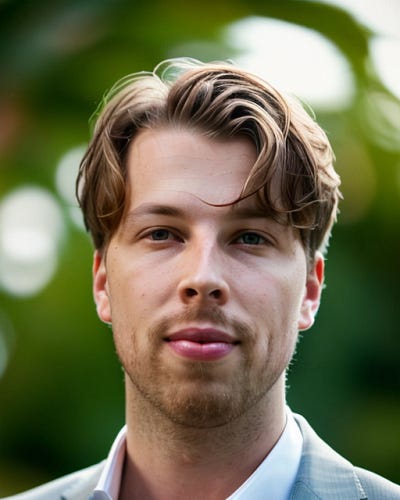

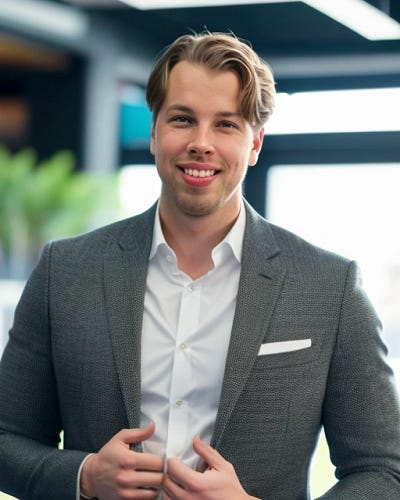
That’s awesome!
These look totally real to me. The one on the far right might not be as spot-on, but the two on the left? I’m amazed!
Here are some of the real photos I uploaded:


The resolution and lighting aren’t perfect, but the AI still nailed my facial features and put me in those professional images.
Here are more AI-generated headshots of me:
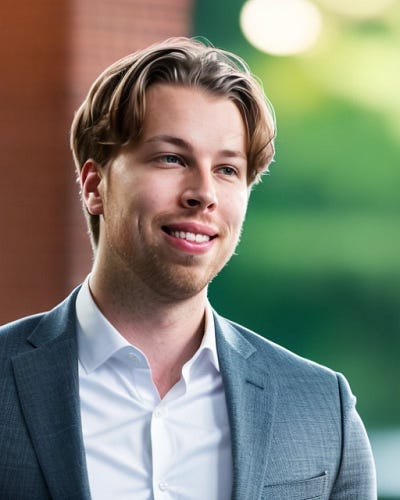
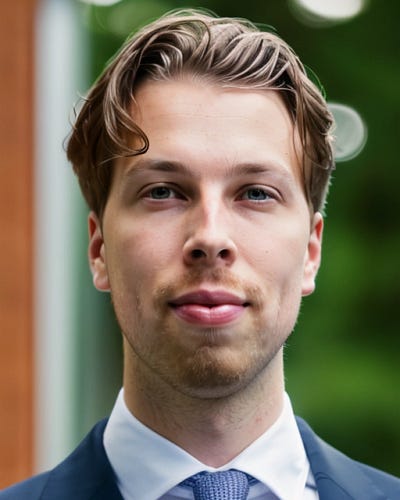

There are a ton of these images—about 100 AI-generated professional headshots in total.

You’ve got to give this a try, especially with the AI custom feature that lets you tell the AI what you want in your images.
After creating your images, you can check out the custom page at themultiverse.ai/custom/.
Pros:
- Realistic headshots that look professionally taken.
- A variety of images in different settings.
- Perfect for a CV or LinkedIn profile.
- High resolution with no “robotic” or “AI” look.
Cons:
- 60+ minutes of waiting time.
- Some artificial vibe in the images, especially with newer models.
- Most of my images weren’t ideal for the AI to analyze.
- No free trial.
Pricing

The Multiverse AI costs $29.00.
⭐ My Grade ⭐
- Realistic: 3.5/5
- Customizable: 4.2/5
- Waiting time: 4.0/5
- Total: 3.5/5
To Take Home
This one lets you tell the AI what kind of images you want to create of yourself.
As far as I know, it’s the only AI headshot generator that lets you make customizations like that. That’s why it’s high on the list. However, the results aren’t as great as the best tools out there.
But like I said before, results can vary. They’ve clearly put a lot of work into developing the AI, so I wouldn’t be surprised if the results improve next time I try it in a few months.
14. Aragon AI

Aragon AI is an AI portrait generator that’s perfect for LinkedIn and other professional network profile photos.
It also lets you customize your images.
Let’s see what it came up with using my images.
My Experience
First, go to the homepage and sign up.
Click on “Create Headshots.” This will kick off the headshot generation process.

Answer the questions, like your age:

Choose the main style—there are 3 options. I went with the business casual style.

Upload your images to the tool.
But first, make sure to read the instructions.

Upload your real selfies. These are the images I used as my inputs:

Review your details and double-check everything:

Submit the photos and wait.

In about 30 minutes, Aragon AI will send you an email letting you know your headshots are ready.

Here are the headshots I got:


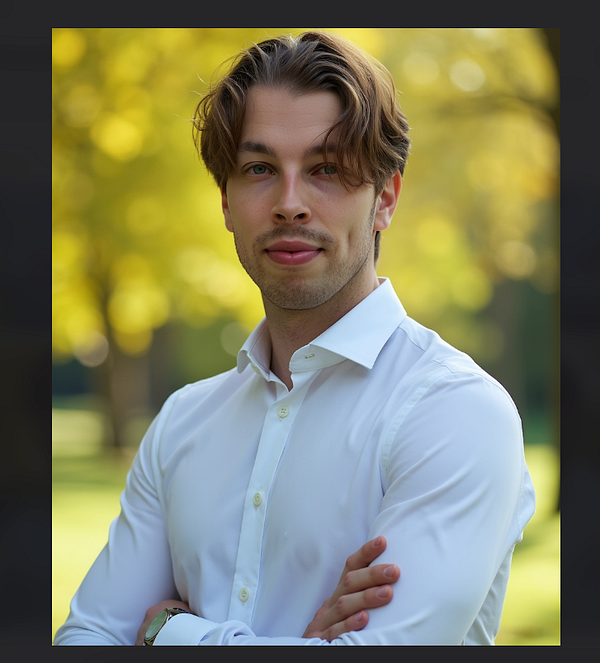

They look good to me, but nothing too wild compared to what the other tools did.
Here are more images the AI created for me:

If you’re not happy with some of the images, you can click the Edit button to make adjustments with the AI.
I’d say 80% of my headshots with Aragon are so realistic, even my friends couldn’t tell they weren’t me.
Pros
- Realistic, sharp, high-quality results.
- Faster than most AI headshot generators.
- The refreshed AI creates even more realistic images.
- Lots of editing features that other platforms don’t offer.
Cons
- Some poses look off. I prefer the ones where I’m just standing or sitting, not the ones with hand movements.
- A few photos look unrealistic or morphed, but that happens with most AI headshot generators.
Pricing

- Starter: $35 for 20 headshots
- Basic: $45 for 60 headshots
- Premium: $75 for 100 headshots
⭐ My Grade ⭐
- Realistic: 3.0/5
- Customizable: 4.2/5
- Waiting time: 4.0/5
- Total: 3.3/5
To Take Home
Aragon is great—definitely one of the best for customization.
That said, the AI headshots felt a bit “overfitted.” I ended up making weird hand gestures, and I didn’t look quite as much like myself compared to the other tools on this list.
That said, your experience might be different. It’s still worth checking out.
15. Portrait Pal

Portrait Pal turns your selfies into professional AI headshots.
This AI headshot generator is super easy to use. Just upload your photos, wait a bit, and get 100 great images.
It creates vintage-style headshots with lots of variety.
Let’s check them out!
My Experience
To use this tool, sign up first.

Then start creating your images. Just specify your characteristics, like gender, age, and so on.

Next, upload some images of yourself.
This helps the AI learn what you look like to create your portrait. But before uploading, be sure to read the instructions.
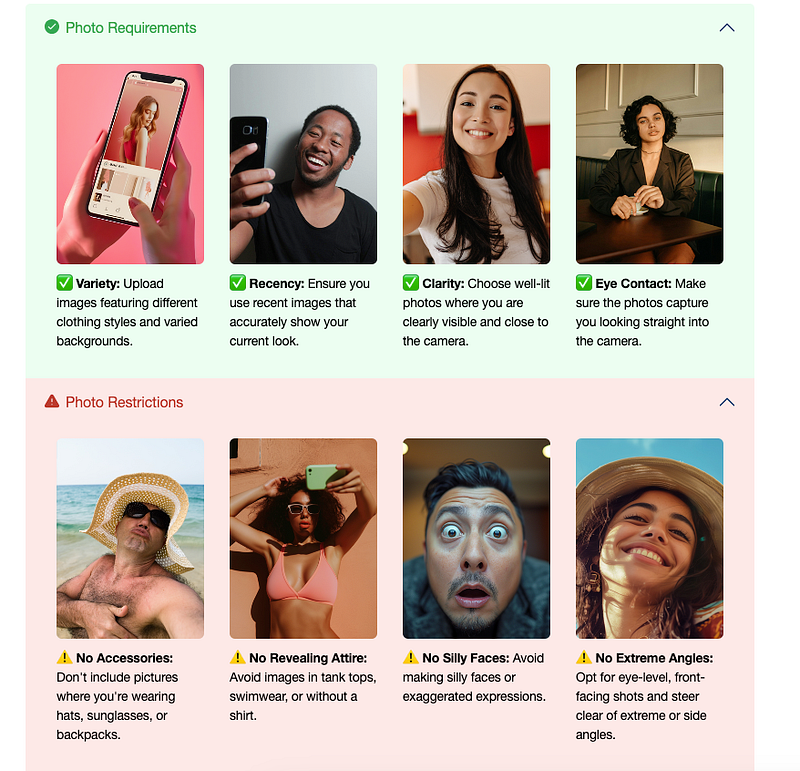
Use only clear images. Make sure there’s no one else in the frame, and avoid making silly faces. Remember, the AI needs to learn what you look like from these pictures.
This helps the AI understand your look in different contexts.
Just drop your images here like this:

Wait for your images to be generated.
You’ll get an email once they’re ready.
Here are the images I got:

That’s pretty cool, if you ask me.
These have very few artifacts and blemishes, unlike most of the other tools I’ve tested.
This is by far the best AI headshot generator out there.
Pros:
- Fast (30–45 minutes vs. days or weeks with a real photographer).
- Highly realistic results.
- Wide variety of images with different scenes, lighting, and outfits.
Cons:
- UX issues (allows duplicate uploads, lenient rejection policy).
- No editing options—only view and download.
Pricing

- Starter: $35 (one-time)
- Basic: $45 (one-time)
- Premium: $75 (one-time)
⭐ My Grade ⭐
- Realistic: 3.4/5
- Customizable: 0/5
- Waiting time: 3.2/5
- Total: 3.2/5
To Take Home
Portrait Pal lets you create super-realistic images. I love my results—lots of different styles and poses.
Definitely recommend it! Especially if you’re into vintage style.
But the issue is that perhaps it’s a bit stuck in time. This tool was really great a year ago, but now the model is not the best anymore. Also, this tool doesn’t let you edit your AI headshots.
16. Fiverr AI Headshots
Fiverr is a platform you’ve probably heard of—it’s one of the most popular and trusted freelance sites.
But you might not have heard of the Fiverr AI headshot gigs, right?
On Fiverr, there are photo editors who use their own AI headshot generator tools to create photos of you. You can then ask for revisions and give feedback to improve the images, all for the same price on the same gig.
The only downside is that it’s not super fast. For me, my gig took about 6 hours, and if I remember right, it’s usually 24 hours or more by default.
My Experience
Let me show you my results with Fiverr AI headshot makers.
Just remember, this isn’t an AI headshot tool—you’re hiring a person to use one for you.

I hired a person named Ghanou K, since he looked like the most promising headshot maker.

To create headshots, pick a freelancer with expertise in the area. You can search for AI headshots on Fiverr to find them.

Once you’ve chatted with your freelancer, they’ll send you a custom offer.

You can either accept or reject the offer. For me, the headshots cost 23€, about $25.
Once I accepted the gig, I sent my real images to the headshot creator:

Then the gig started.

The next day, I came back to check my results. Here’s what I got:

Pretty epic, right? But when I zoomed in, the results were a little blurry and not super realistic.
No big deal.
I just asked my freelancer to create new ones and fix the old ones.

I told him what I need:

I waited a couple of hours to get my new headshots:

These are way better! Now I’ve got a bunch more to choose from. There are AI action figure headshots, winter style headshots, celebration shots, and even fan headshots.
Love it!
Pros
- Real humans work on your headshots.
- Revisions if you’re not happy with the results.
- Good, realistic results that look pretty close to you.
Cons
- This isn’t an AI headshot generator—it’s a real person working on your headshots. This might be a bit inconvenient for some.
- The results are really good (at least for me), but not the best. Your experience may vary.
Pricing
Pricing can vary a lot depending on the creator. Some will do it for $10, others for $50. I’d recommend checking the headshot maker’s ratings and choosing based on that.
⭐ My Grade ⭐
- Realistic: 4.4/5
- Customizable: 3/5
- Waiting time: 1/5
- Total: 3.5/5
To Take Home
I like Fiverr AI headshots. They offer good value for the money. However, it’s a bit slow, and since you’re working with a real person, it’s not exactly an AI headshot generator.
The results aren’t the best out of the bunch, but they’re still definitely worth trying. Especially if you want customizations and a professional touch!
17. ChatGPT
Next, we have ChatGPT. Since March 2025, you can upload images of yourself to the chat, and ChatGPT can modify them.
This makes it a solid AI headshot generator.
My Experience
ChatGPT is free, and on the free plan, you can create 3–5 headshots per day.
In that sense, it’s the best free AI headshot generator out there right now.
The AI doesn’t edit your images directly. Instead, it regenerates one that looks like you.
I’ve been impressed with the image quality and customizations. However, the results don’t always look exactly like me.
Just drop your image into the view, tell ChatGPT to turn it into a professional headshot, dating profile pic, or social media photo.

It only takes about a minute or two (or even less when it’s less busy) for the AI to create your headshot.
Here’s one of my results:

I like it!
But honestly, this doesn’t quite look like me. And I’ve heard others say the same thing.
The headshots are sharp and customizable, but there’s something off. The tricky part is that people might tell you the ChatGPT-generated ones are the best, but then you might not like them at all.
I have that issue with the headshot above.
The image is sharp, the lighting’s good, the clothes look great, but to me, I don’t look like myself at all. I’ve seen myself in the mirror too many times.
What’s cool about ChatGPT headshots, though, is that you can customize them to be whatever you want.

You can either create a new image based on the messages and chats you’ve already had.
Or, just click on your headshot to edit it directly.

These edits are amazing. No other AI headshot generator even comes close. You can do whatever you want here.
For example, I asked ChatGPT to place me rowing on the surface of Mars.

This could be a funny social media post (well, it would’ve been, if people hadn’t flooded the web with AI-generated stuff).
Just a heads-up: the AI doesn’t technically edit your photos.
It recreates everything while trying to keep it as realistic and untouched as possible. That’s why, if you ask for multiple versions in the same chat, the accuracy starts to slip.
Pros
- Free for a couple of headshots per day.
- Super easy to use—just tell the AI what you want, and it does the rest.
- Customizations are insane, limited only by your imagination.
Cons
- The results can look generic and similar. Once you’ve made 10–20 headshots, you’ll notice the same boring patterns repeating. If you make that many, you’ll instantly spot when someone used ChatGPT for their social media headshots.
- Limited to a couple of images per day. If you’re only using ChatGPT for AI headshots, the cost might be a bit much.
- Even the paid Pro plan is limited—only 10–20 images per month. That’s pretty restricted.
Pricing

⭐ My Grade ⭐
- Realistic: 2.8/5
- Customizable: 4.9/5
- Waiting time: 5/5
- Total: 3.4/5
To Take Home
I think you should try ChatGPT for headshots. If you like the results, there’s no reason to buy an expensive headshot package.
However, if you’re not satisfied with the results, I recommend trying one of the dedicated tools on the list.
18. Profilebakery

The next AI headshot generator on my list is ProfileBakery.
Just a heads-up: this one’s one of the last paid AI headshot generators on the list, and you can definitely see it in the image quality, which is noticeably worse than most of the tools here.
But the upside is that it comes with a happiness guarantee.
Anyway, let’s see how it works.
My Experience
First, head over to their homepage and click on “Start now.”

The input image instructions are pretty clear, though:

Here are some of the images I used. These are real photos of me:


Drop the images to this view:

This AI headshot generator also asks you to add a “baseline image.” This will be the basic facial expression for your output photos.
Make sure to pick one where you’re smiling if you want a lot of smiles in the final images.

Once you’ve chosen your images, you’ll need to wait. For me, it took about an hour, but for some, it could take 3–4 hours.

You don’t have to sit around and wait, though. Just close the window, and the email system will notify you once your images are ready.

Once the email arrives, you’ll find your AI images in a shared Google Drive folder.

For some reason, it feels a bit odd that the images are in a shared drive folder… The other AI tools I’ve used have private built-in libraries. But anyway, let’s check out the image quality.
Here are my favorite images:


The results are decent. The more I look at them, the more I get a 3D character vibe.
Feel free to check the original images and decide for yourself! 🙂
Pros:
- Realistic, professional-looking output images.
- Lots of variations in clothes, poses, and backgrounds.
- Built-in image improver features for fixing minor AI issues.
Cons:
- Fewer images compared to other tools.
- The UI feels a bit like a weekend project, but the results are surprisingly good!
- Takes longer than other headshot tools.
Pricing

- AI Mini: $24
- AI Regular: $29
- AI Pro: $49
⭐ My Grade ⭐
- Realistic: 2.0/5
- Customizable: 0/5
- Waiting time: 4.0/5
- Total: 2.2/5
19. HeadshotMaster.io (Free)

HeadshotMaster.io is a free AI headshot generator that turns selfies into professional photos.
It offers a variety of styles for resumes, LinkedIn, and more, with no sign-up required and a focus on privacy.
This tool is similar to the paid headshot generators on this list since it creates new images that look like you. The main difference (besides being free) is that it only needs one image of you and returns just 4 AI-generated faces.
My Experience
First, you’ll need to answer a few simple questions, like gender, age, hair color, eye color, ethnicity, and so on.

Upload an image. You can upload up to 4 images.

Wait for a couple of minutes.


After that, you’ll see a bunch of AI-generated headshots of yourself.
Here are my results:

You can view more results on the left-hand side.
For example, here are a few more headshots of me:


That’s pretty cool, especially since it’s free. But let’s be honest—it doesn’t look exactly like me. The closer you look, the more it feels like a 3D-rendered character.
Pros
- Fast: Results in just a couple of minutes.
- One image: You only need to upload a single image, which is way easier than AI headshot generators that need 10–20 photos.
- Semi-realistic: The AI produced images that resemble me.
Cons
- 3D vibe: The images look more like 3D renders than real photos.
- Out of place: Some images look completely off, robotic, and not like me.
Pricing
Free!
⭐ My Grade ⭐
- Realistic: 1.7/5
- Customizable: 1.0/5
- Waiting time: 5/5
- Total: 2.0/5
20. Vheer.com (Free)

Here’s another free AI headshot generator worth checking out: Vheer.com.
It’s an AI platform, and the headshot generator is just one of many tools they offer.
But I was surprised to find that this is one of the best free AI headshot generators, especially since I hadn’t heard of it before.
My Experience
Creating your AI headshot is super simple.
Just head over to their website, then upload your image to this view:

Here’s the image I used.

Next, tweak the settings on the right.
You can choose one of the styles on the list to get headshots that suit your taste.

Notice how you can use custom prompts to tweak your AI headshots even more.

Another great feature is that this tool lets you choose the aspect ratio for your headshots.

Once again, this isn’t common in AI headshot generators. Usually, the images are either square or 9:16, and you can’t adjust them.
I gave it a try with a couple of attempts and styles.
Here are my results:

This first result really surprised me. I expected it to be bad. To be honest, it’s not the best and definitely not on par with the paid headshot generators. But it’s decent, especially when you look at it from a distance.
I’ll show you what the problem with this tool is in just a second, but let’s check out a couple more free AI headshots first.
Here’s another AI headshot I created for free with Vheer.

And here’s another:

Now, let’s dive into the issues with this tool: Even though it’s free and easy to use, the quality just isn’t there.
Let me zoom in a bit closer.

Do you see the problem yet?
If not, let’s zoom in a bit more:

Here you can see that while it looks exactly like me, the image just isn’t realistic at all. To me, it looks like a 3D-rendered character—or maybe a wax model from one of those wax museums.
This is a common issue I always run into with free AI headshot generators.
They’re fast, which makes them cheap or free to use, but the results look like this. Yes, if you look from a distance, it’s not too bad. But a closer look? It only takes a couple of seconds to see it’s all fake.
Pros
- Totally Free: No cost at all.
- Very Fast: Just about half a minute for results.
- Great Results: This free AI headshot generator is one of the top choices I’ve tested right now. The results look realistic from a distance.
Cons
- Not Very Realistic: The likeness falls apart when you look closely. From a distance or on a small icon, it looks realistic. But the closer you get, the more you get that 3D character vibe.
- Limited Input: Since it only uses one image, the output lacks accuracy.
- Free Is Bad: As I’ve said many times on the channel and in my blogs, free AI headshot generators just aren’t there yet. Not even close.
Price
Free!
⭐ My Rating ⭐
- Realism: 1.7/5
- Customization Options: 0/5
- Speed: 5/5
- Overall Score: 1.9/5
21. AIEase (Free)

Let me show you another cool free AI headshot generator called AiEase.
My Experience
To create your headshots, all you need to do is choose a style:

Upload an image of yourself:

After about 20 seconds, here’s your result:

That’s pretty cool, right? Although, I’ll be honest—it doesn’t quite look like me. I’d rate it 5/10 compared to the paid tools on this list.
Pros
- Free: This AI headshot generator costs nothing.
- Fast: Results in just 30 seconds.
Cons
- Unrealistic: The results don’t really match what I look like in real life.
- Inaccurate: Since it only uses one input image, the output isn’t great.
Price
Free!
⭐ My Grade ⭐
- Realistic: 0.7/5
- Customizable: 0/5
- Waiting time: 5/5
- Total: 1.4/5
22. HeadshotPro (Free)

Next up is HeadshotPro, a background-swapping tool that uses AI to detect edges and remove you from the image.
The concept is simple: upload your photo, and this “AI headshot generator” quickly turns it into multiple professional headshots with different backgrounds.
Like PFPMaker, which I’ve mentioned in earlier articles, it doesn’t create a new face—it just enhances your existing photo with new backgrounds.
My Results
Here’s my favorite before-and-after shot it created:

The lighting looks accurate and realistic.
But honestly, it’s all luck. The AI didn’t adjust my face lighting—it just matched it with a great background from the catalog.
More Results
You can get more similar results by choosing a background from this view:

This isn’t exactly a headshot generator since it doesn’t create your face. Instead, it uses AI to remove the background and replace it with a new one.
With a variety of pre-made backgrounds available, the process is quick, and you can easily try different options to find one that fits your image.
One downside is that the backgrounds are pre-built, meaning the AI doesn’t generate new ones every time you hit “generate.” So, it’s more of a background remover and changer than a true headshot generator.
Pricing
Free!
23. PFPMaker

PFPMaker is an AI tool that helps you create professional profile pictures by changing the background of your images.
It’s free and faster than other tools since it doesn’t create new images but just removes the background and swaps it with a pre-built one.
Technically, it’s not a headshot generator. But with powerful AI tools for background removal, enhancement, and template customization, PFPMaker lets you improve existing images—perfect for something like a LinkedIn profile picture.
My Results
Here’s the before-and-after shot I got from PFPMaker:

My Experience
Using this AI is easy and fast.
First, upload an image of yourself:

That was fast as it only took 15 seconds to create the AI headshots.

Here are the results I got:


Like the previous “AI headshot generator,” this one isn’t a real headshot generator—it’s more of a background changer.
Still worth experimenting with, though.

By the way, you can make edits to your images to match the color better.
To do this, click on one of the images to open the editor view. The customizer can help adjust the background to match the lighting of your skin.
Pricing
Free!
I haven’t graded these background generators since they’re technically not AI headshot generators.
24. Canva Headshot Generator

Canva also has an AI headshot generator.
But I have to spoil the party here—the position on this list is well-deserved. This AI headshot generator creates images that don’t look like me at all.
The only reason I’ve included it on this list is that it ranks really high on Google for the “AI headshot generator” keyword, and a lot of people are using it, but getting a misleading idea of the current state of AI headshots.
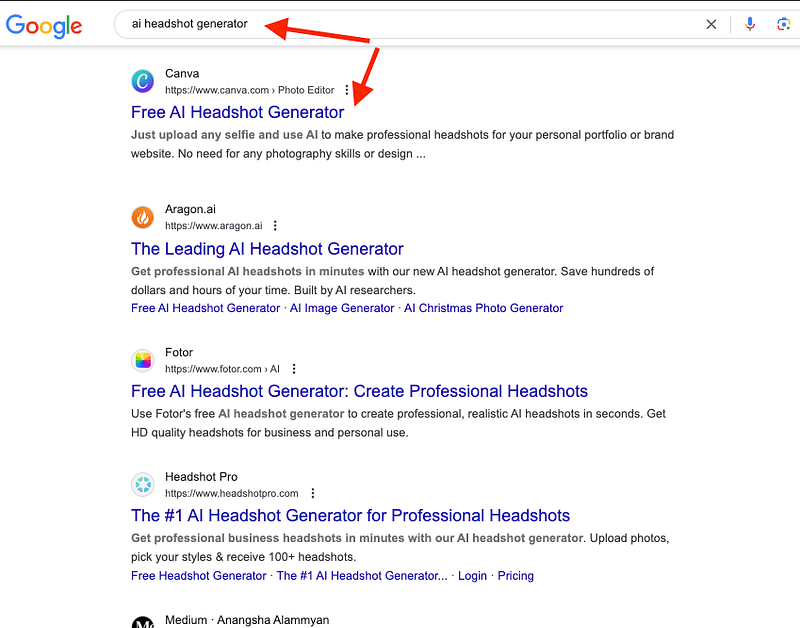
In reality, this is one of the worst ones I’ve tried.
Let me show you my results.
My Results
Canva’s headshot maker is easy to use. Just open Canva, go to Apps, and search for AI headshot generator.
Upload an image, choose your gender, and wait:

After about 10 seconds, you’ll get an AI-generated version of yourself.
Exciting, right? Let’s see what mine looks like…
Here it is:

Umm… I hope I don’t look like that in real life. That’s just terrible. It looks like one of those 2010 Instagram pics where people piled on every filter available at the time.
Honestly, it’s a waste of my time.
This would’ve been cool 5 years ago, but now it feels so outdated.
Canva is usually awesome, don’t get me wrong. Some of the graphics on this post were made with Canva.
But the problem is, they sometimes release apps just to rank high and capture traffic to convert into monthly users.
If there’s no demand, they stop developing these tools—like this headshot generator.
Pricing
Free
⭐ My Grade ⭐
- Realistic: 1.0/5
- Customizable: 0/5
- Waiting time: 5/5
- Total: 1.1/5
To Take Home
This was just one of the Canva AI headshot apps, so if you use Canva a lot, make sure to try out more of them.
I’m pretty sure they all use a free API to create the headshots, so don’t expect anything too crazy.
Bonus 2: The Face-Swap Strategy

Let me show you a clever trick with which you can also create headshots for free and have more customization over your work.
In short, this strategy involves ChatGPT and FaceSwapper.
The idea is here:
- Create an image of a person with AI.
- Take a selfie.
- Swap your face with the AI-generated image.
- Repeat until you find a good image.
- Enjoy!
For example, here’s an image I created with ChatGPT.

This is a good base image. But it doesn’t look like me at all.
Next, I will merge the face from that image with my actual selfie.
To do this for free, you can use a tool like https://aifaceswap.io/.
Upload the AI-generated image as the “Original image” and use your selfie as the “Face image.”

Wait for about 60 seconds.
And there’s your result:

That’s pretty cool! It looks a lot like me, at least. To improve the headshots, consider taking more selfies and testing those. Also, spend some time on the ChatGPT input.
Quick Summary Table
To cap it off, here’s a table that summarizes the best AI headshot generators in one go!
| # | AI Headshot Tool | AI Headshot Maker | Key Features | Editing Available | Free Option |
|---|---|---|---|---|---|
| 1 | BetterPic | ✅ | Realistic results, editable, final touch by human editors | ✅ | ❌ |
| 2 | HeadshotsByAI | ✅ | Sharp, well-lit, realistic headshots | ❌ | ❌ |
| 3 | Secta AI | ✅ | 140+ headshots, Aurora Borealis style, HEIC support | ✅ (paid plan) | ❌ |
| 4 | HeadshotPro | ✅ | Customizable, speech headshots, high quality | ✅ | ✅ (bg swap) |
| 5 | Try It On AI | ✅ | Social + professional headshots, video headshots, customizable | ✅ | ❌ |
| 6 | Magic Photos AI | ✅ | Candid, selfie-style photos, fast turnaround, editable clothing styles | ✅ | ❌ |
| 7 | InstaHeadshots | ✅ | Great social media-style headshots, realistic selfies, fast turnaround | ❌ | ✅ (long wait) |
| 8 | Headshot.Kiwi | ✅ | Less uncanny, realistic images | ❌ | ❌ |
| 9 | Prophotos AI | ✅ | Affordable, professional look, suit styling | ❌ | ❌ |
| 10 | PhotoPacks AI | ✅ | Budget-friendly, good results | ❌ | ❌ |
| 11 | AI SuitUp | ✅ | Affordable, similar results to top tools | ❌ | ❌ |
| 12 | GoStudio AI | ✅ | Realistic, simple to use, affordable, no customization | ❌ | ❌ |
| 13 | The Multiverse AI | ✅ | Customizable with prompts, legacy tool | ❌ | ❌ |
| 14 | Aragon AI | ✅ | Realistic, customizable, OG tool | ✅ | ❌ |
| 15 | Portrait Pal | ✅ | Vintage-style, soothing headshots | ❌ | ❌ |
| 16 | Fiverr AI Headshots | ❌ (Human-based) | Freelancers using AI for headshots | Depends on gig | ❌ |
| 17 | ChatGPT | ✅ | Upload your image to generate headshots | ✅ | ✅ |
| 18 | Profilebakery | ✅ | 3D-like, somewhat artificial | ❌ | ❌ |
| 19 | HeadshotMaster.io | ✅ | Best free tool with decent quality | ❌ | ✅ |
| 20 | Vheer.com | ✅ | Free, fast, decent results from a single image, aspect ratio customization, basic prompts | ❌ | ✅ |
| 21 | AIEase | ✅ | Fastest, no signup required, low quality | ❌ | ✅ |
| 22 | HeadshotPro (Free) | ❌ (BG tool only) | Background-swap tool, not full generation | ❌ (bg only) | ✅ |
| 23 | PFPMaker | ❌ (BG tool only) | Background changer with customization | ✅ (limited) | ✅ |
| 24 | Canva | ✅ | Easy prototyping, improving tech, AI headshot apps available | ✅ (basic) | ✅ |
Interesting Observation
I just noticed something funny about AI headshot generator companies…
Please, have a look at the landing pages of these three different free AI headshot generator pages:
1: Fotor AI headshots:

2: HeadshotMaster AI headshots:

3. Supawork:

Looks pretty similar, right? Yet, they’re three completely different tools!
Clearly, these companies are using a common templates with which they can build their own AI headshot generators that do the exactly same things as others.
So please be careful. Don’t pay for something you can already get for free somewhere else.
Just a quick thought. Just something funny I noticed.
Any Good Free AI Headshot Generators?
A lot of people search for free AI headshot tools. I get asked about them all the time too.
Here’s the truth: the best headshot models today need serious tech and expensive computing power.
That’s why good headshots cost money. At least for now.
When you see tools offering free headshots, they’re usually built on smaller or older AI systems. That’s why the results often look off — maybe the face shape is wrong, the lighting looks fake, or the quality just isn’t there.
You get what you pay for.
Even ChatGPT, which is probably the closest thing to a free AI headshot generator right now, has limits. You can make a few images a day, and they’re decent, but still nowhere near paid platforms.
The paid tools run on much bigger AI models, and those need powerful GPUs that cost real money.
So while free tools are quick and fun to try, they usually don’t hit the level you’d want for professional use.
If you need a good LinkedIn photo or a business profile picture, a paid AI headshot generator is worth it. If not, just know the free ones give mixed results.
Before you go…
AI headshot tools are impressive, but don’t expect them to be perfect. They don’t always get it right.
The way they work is simple: the AI is trained on tons of photos, and then it creates headshots from the images you upload.
It’s fast, cheap, and a lot less stressful than booking a photographer.
But sometimes the photos can look a little off. Too smooth, too stiff, or just not quite like you.
That’s where Betterpic makes a difference.
It’s not just fully automated. It also gives you the option of human edits.
For me, that makes it the best AI headshot tool right now.
To wrap this up, here are a few quick tips for getting the best results with AI headshots:
Tips for Getting the Best AI Headshots
- Upload high-quality photos — Clear, sharp images give the AI the best chance. Blurry or pixelated shots won’t work well.
- Use good lighting — No heavy shadows or dark rooms. The clearer the photo, the better the output.
- Keep a neutral expression — A relaxed face or light smile works best.
- Avoid heavy filters or makeup — These can throw off the AI.
- Upload different angles — If the tool allows, use both straight-on and angled shots for more natural results.
- Check the background — Clean and simple backgrounds help the AI focus on your face.
- Be ready to edit — No AI is perfect. Pick tools like Betterpic that let you tweak things after.
Follow these steps and you’ll end up with the best results possible.
Spread The Message!
AI headshots are taking off fast in the US and China. But in much of Europe and other regions, people haven’t really caught on yet.
Here’s what the Google Trends area chart looks for this trend:

These tools are really handy, but most people still don’t know they exist.
So if this helped you, share it around! No reason only the US and China should have slick LinkedIn photos — everyone should.
Personally, I love my AI headshots. For business, I don’t see them as “cheating.” They’re just a smart way to save time and money.
The Problem with AI Headshots
I’m not saying AI headshots will land you a job or a date. Not at all.
For me, it’s more of a fun experiment and a way to save time.
Some people love them. Some people hate them. I get both sides.
I wouldn’t use AI headshots to fake big life events like weddings or parties.
But for business? That’s where they shine. It really doesn’t matter what you look like anyway.
Why pay thousands for a photographer, makeup, and clothes, when AI can do it for a fraction of the cost and stress?
That’s why I’m a fan. I’ve got decent pictures on my phone, but I’ll never take the time to hire a photographer. With AI, I can get headshots done in minutes, and they look good enough.
Of course, I see why people don’t like them.
They aren’t real. AI always adds little details that don’t belong to you. In that sense, the photos are “fake.”
But honestly, regular headshots are just as fake. You never actually look like that in real life either.
The bigger issue is that AI headshots can feel generic. If too many people start using them, it will be obvious they’re AI-made.
That could lead to a shift where people prefer natural selfies, which might lower the value of professional headshots.
Or maybe people will skip profile photos altogether since they can be faked so easily.
Hard to say.
But here’s what I know: AI headshots are awesome. They’re new, cheap, fast, and not everyone is using them yet. Definitely recommend it!
Thanks for reading!
