I tried out the GoStudio AI headshot generator so you don’t have to.
In this post, I’ll share what I think and show you the results.
Disclaimer: This post has affiliate links at no cost to you.

GoStudio AI in brief
It’s an AI headshot generator that turns your selfies into professional-looking headshots.
No need to hire a photographer or schedule an appointment.
You can tweak your headshots with the AI edit feature, or just use them as they are for LinkedIn or other professional stuff.
And you can do all of this from home. Pretty convenient, right?
How to Use It
To use this tool, first, go to their website and sign up.


Click on “Get your headshots now.”
I picked the “Professional Headshots” pack because I wanted headshots that would work for LinkedIn or other business settings.

Choose the gender you want for your headshots.
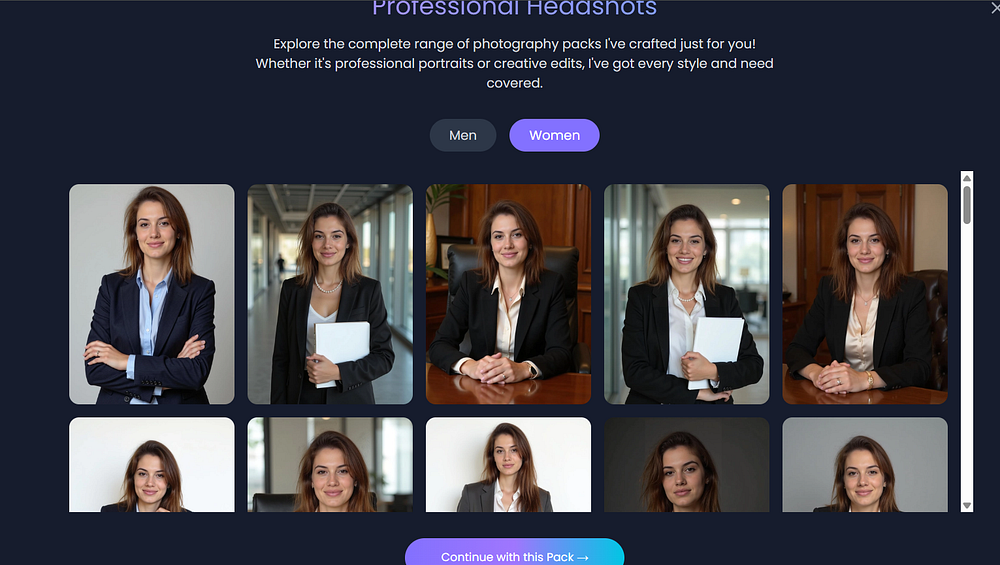
Next, upload your selfies.
Follow the instructions carefully.
I recommend taking a moment to pick your best selfies, since they’ll affect how good your headshots look.


Review of the Results
Here are my results!
I think they look good, even though the AI made me a brunette.
The face looks really accurate.
I also like the power pose.


These look really realistic and capture my facial expressions well.
The full-body images below are spot on, even though I didn’t upload any full-body selfies.
The results include a mix of body types.
Unlike some tools, these don’t look over-polished.
Next, I’ll show you what happens when I change my hair to blonde using the edit feature.


Like with any AI generator, some images might look off or a bit uncanny.
Your face could look distorted or not like you at all.
Just ignore those.


Edits
GoStudio AI also has an AI image editor and an AI image generator.
With 5 credits, you can create new images from a text prompt.

This image was made from my prompt.
Pretty good!
The hair looks right—I asked for “blonde, shoulder-length hair.”

Here, I wanted to change my black outfit to a white blouse.
Not too bad, I’d say!
Everything else in the image stayed the same, which is great.


Pricing
Here are the current pricing plans.
They have one monthly subscription (the Basic plan) and two one-time payment options.
The Pro plan is best if you want a set of high-quality headshots.

- Basic ($19/Monthly subscription): 20+ headshots, 45-min processing, 1 pack, 10 poses. Renews every month.
- Pro ($24 One-Time Payment): 30 headshots, 15-min processing, 20+ poses and backgrounds.
- Custom ($49 One-Time Payment): 2-day delivery, custom brand look, human editor.
Pros
- The AI edit feature actually works.
- The images are very accurate, especially the face.
- Good variety in the headshots. Some show my hair up, behind my ears, different lengths, etc.
- Fast turnaround time.
- Affordable, with several pricing options—from one-time payments to a monthly subscription.
Cons
- Some images came out grainy.
- The UI could be better. The edit feature was a little confusing at first.
My take
I was really impressed by how accurate the headshots were.
I also liked the full-body images, even though it felt like the AI was just guessing since I didn’t upload any full-body selfies.
Either way, I got some that I liked!
The pricing is pretty reasonable compared to other tools.
There’s also an AI edit feature and an AI image generator, which worked well.
With other tools, edited headshots often come out bad or unusable, but mine turned out good here.
Some headshots were low quality and a bit grainy, but overall, it was a good experience!
Rating: 4.1/5
