I tried the Magic Photos AI headshot generator so you don’t have to.
In this post, I’ll show my results and give my honest review of the tool!
Disclaimer: This post has affiliate links at no cost to you.

MagicPhotos in brief
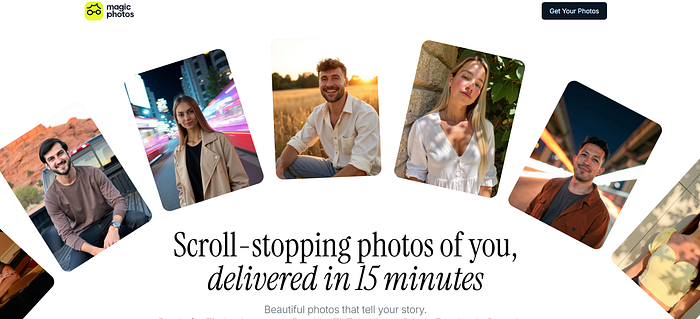
MagicPhotos AI is a headshot generator that uses your selfies and turns them into high-quality headshots in different settings.
It can do this in as little as 15 minutes.
Unlike other tools I’ve tried, MagicPhotos focuses on more casual headshots.
These are great for social media, dating apps, or even a relaxed resume.
How to Use It
I’ll show you how to use the tool first.
Go to their website and login.
Click on “Create a new photoshoot” and enter your info.

Next, upload your selfies.
The AI uses these to learn what you look like, so take a moment to pick your best ones!

Follow these requirements to get the best headshots.

Next, choose your pricing plan.
This decides how many headshots and styles you’ll get.

After uploading your selfies, it’s time to pick the background styles for your headshots.
The list is long and covers a lot of options.

And you’re all set!
I picked “The Fire” plan, and it generated my headshots in about 15 minutes.
I barely had time to get up and grab a cup of coffee.
My Results
Okay, here are the results I got.
I tried picking very different background settings and lighting, just to see how they would turn out.

I have to say… I’m impressed!
These look really natural, even with different poses and lighting.
Some of them even look like real photos of me.
The tool captures my facial expressions and even small details, like stray baby hairs.


Especially the Alps one—I’m pretty sure my family wouldn’t be able to tell if it’s AI-generated or a real photo.
The problem with these backgrounds is… I can’t really post a picture of myself skiing in the Alps when I’ve never been there.
Still, I really like these!
And, as always, you’re not going to love every headshot.
Just ignore the weird-looking ones, like these.


Edits
MagicPhotos also has an editing feature.
It can generate a new headshot based on your instructions.
For example, I really like the picture below, but I want to change the outfit since the current one isn’t something I’d wear.
Just click “Edit” icon.


And here are the results.
Not too bad! The edit looks pretty smooth and didn’t seem to hurt the image quality.
On a side note, I personally don’t like the clothing styles these AI tools offer, and I wouldn’t wear them in real life.
Still, having the option to change the outfit is a nice bonus!


Besides changing outfits and fixing blemishes or other imperfections, you can also change the background.
Here, I tried turning the original urban city setting into a daylit room.
The result looks pretty good! The headshots didn’t change much, and the quality stayed intact.
I’m trying to stay objective, even though I really dislike the outfit.

Pricing & Value for Money
Here are the current pricing plans for MagicPhotos.
Each plan comes with a money-back guarantee if you’re not happy with your headshots.

- The Spark — $49
- 40 HD photos
- 2 styles
- Ready in 90 minutes
- The Flame — $59
- 100 HD photos
- 5 styles
- Ready in 60 minutes
- The Fire — $69
- 200 HD photos
- 10 styles
- Ready in 15 minutes
Pros
- Very accurate, good-looking headshots
- Different poses and lighting
- Lots of background styles to choose from
- Customization feature
- Fast turnaround—about 15 minutes
Cons
- More expensive than some other tools
- Editing feature is a bit limited; a human edit option would be nice
My Final Verdict
MagicPhotos is a really high-quality tool for making a set of headshots.
My headshots turned out great and almost look like real photos of me.
The tool also has an edit feature if you want to change your outfit or the background.
Honestly, I think this is one of the best tools I’ve tried so far!
Rating: 4.4/5
