There’s a lot of hype around new AI writing tools.
But most of the time, ChatGPT is still the best for pure writing.
For me, it’s a go-to chatbot and especially helpful for beginners.
Just sign up, ask a question, and it gives you an answer.
You can for example ask it to write a blog post outline.
You can also use ChatGPT to simplify or summarize blog posts. This is what I use it for most, since I often write things that are too hard to read.
AI does well here.
And don’t stress about prompts. That’s mostly hype. Anyone can write them. If you don’t know how, just ask the AI to show you.
But remember: these tools won’t do your job.
For me, AI saves maybe 1–2% of my time. It helps with rephrasing, simplification, and some basic research. That’s it.
In writing, the value isn’t the text — it’s the expertise and experience you bring. If you don’t put in the work before writing, you won’t get results.
Pros
Fast drafting: outlines, intros, summaries in seconds.
Flexible: from blog ideas to code snippets to emails.
Grammarly is a free tool that fixes grammar automatically.
It checks your writing anywhere if you use it with Google Chrome.
For example, here’s this post:
This post has lots of mistakes I’d normally have to catch myself. That takes a long time before publishing.
Grammarly saves me that time.
It checks my text as I type and fixes mistakes on the spot or suggests edits.
With the Grammarly Chrome Extension you can use these features wherever you go, which makes it super handy.
You can use it to improve/fix your emails automatically.
It saves time every time you write, no matter where.
That’s been my experience for the past couple of years.
And if it ever annoys you, just click the plugin icon to turn it off for that page.
I also like that Grammarly’s basic version is free. To be honest, I never upgraded. The free plan fixes typos and basic errors, which is all I need.
And when it comes to AI in writing, don’t let it replace your style. You should still write like you. That’s why I don’t use those random “AI improvements.”
Pros
Always-on checks: grammar, clarity, tone as you type.
Works almost everywhere: browser, desktop, Docs, email.
Tone guidance to avoid awkward wording.
Quick polish before publishing.
Team features if you need to scale.
Cons
Suggestions can change meaning — review carefully.
Pick the AI feature you want. There’s a tool for almost any kind of writing.
For example, under blog writers, you’ll find AI tools for writing blogs.
I picked the “Human Written Blog Post” tool from the list.
Then just choose a topic and let it create the content.
For example, I asked it to write a blog post about Disc Golf rules.
It then asks for a couple of tweaks from your side.
To start, click “Create Outline.”
A few seconds later, you’ll have your AI-generated outline:
Here you can remove parts, edit the text, or regenerate it.
When the outline looks good, click “Generate.”
This opens the blog post generator view.
First, it asks you to create the introduction with AI.
Click “Create Intro” and wait.
Here’s the intro I got:
Then move on to the next section.
For example, it created a basics section for Disc Golf rules.
As you can see, it doesn’t create the whole post at once.
It builds it in parts, and you can adjust everything.
After creating each section, read it through. Add your images, experience, and expertise.
An AI-written post is never good enough on its own.
It can be useful, but it won’t give you an edge unless you make it better than what already exists.
And this was just one example app in GravityWrite. There are many more categories and tools worth exploring. Just remember — always keep a human in the loop.
Pros
All-in-one hub with 200+ templates for blogs, ads, socials, and emails.
Quick first drafts and outlines.
Supports multiple languages and tones.
Image generation + web tools in one place.
Users praise its speed and ease.
Cons
Output needs editing for accuracy and voice.
Free plan is limited — you’ll likely hit caps.
Content can feel generic if prompts are weak.
Some UI quirks reported.
Pricing and allowances vary by plan, can be confusing.
Pricing
Free: ~1,000 words/month
Plus: $15/month (~75k words/month)
Pro: higher tiers listed; users report $69–$79/month depending on caps
Hemingway App is a free gem, great for new bloggers.
I found it early in my career and used it a lot.
It’s similar to Grammarly but focuses on simplifying hard sentences.
Just copy-paste your content into the editor:
It gives a grade for your writing and shows the improvements.
Hover over an issue to see Hemingway’s suggestion.
It won’t fix the sentence for you. It just flags long ones as an issue.
Also, use common sense.
You’ll notice Hemingway suggests changes for almost everything.
Don’t follow all of them or you’ll lose your own style. If there’s any magic left in blogging, it’s that you sound like yourself. The content should read like a normal human wrote it.
Same goes for AI writers. Use them lightly. The text itself doesn’t matter as much as what you say. If you just repeat what’s out there, you won’t get anywhere.
My best blog posts take 100+ hours. Not because of writing, but because of research. Writing takes a couple of hours. The rest is legwork.
Pros
Great for simplifying hard sentences.
Flags passive voice and weak phrasing fast.
“Plus” plan adds AI rewrites and grammar fixes.
Clean editor with no distractions.
Good value if you just need clarity rewrites.
Cons
Not a full grammar suite like bigger tools.
No research or citations — it’s an editor, not a writer.
As I said earlier, ContentShake is a good starter tool for long-form posts.
It even adds images and lets you chat with the AI to improve your post.
For transparency, I don’t use tools like this much. Full automation doesn’t work that well.
But if you’ve never written long guides or detailed posts, this can give you a solid blueprint. Instead of hiring a freelancer for advice, you can get a draft from AI pretty easily.
Just be careful. Don’t treat it as the final word. Adjust the content to match your style, not the AI’s.
Fun fact: I used AI a lot when ChatGPT first came out.
But I quickly realized it missed facts, didn’t say what I wanted, and didn’t sound like me.
Since then, I’ve used AI less — and my results have improved.
Pros
Good starter for long-form SEO drafts.
Clear flow: ideas → outline → draft.
Adds stock images as placeholders.
Lets you refine with AI or edit manually.
Works with Semrush data.
Cons
Needs a lot of human editing.
Lacks depth without your own input.
Not “set and forget.”
Images are just placeholders.
Same fact-checking issues as any AI writer.
Pricing
Part of Semrush Content Toolkit add-on — from $60/month.
Paperpal is my #1 AI research tool and academic writing service.
It generates text based on your role — from post-doc papers to high school essays.
Unlike ChatGPT, Paperpal goes further. It can write, review content, answer research questions, generate ideas, and check for plagiarism.
For example, I used it to create an outline for my paper on The Impact of Climate Change.
In seconds, it built a clear structure for my paper:
Click “Insert” and the outline shows up on the left next to your paper.
Not happy with the result? Click “Regenerate” to get a new version.
You can also paste parts of your paper or outline and ask the AI for tips and action points to improve it.
AI can also expand topics by adding counterarguments, analogies, and examples.
For example, I asked it to expand the outline point I made earlier:
In seconds, it gave me this instruction, highlighted in green:
With these insights, I can refine my paper. I like this approach because it doesn’t just generate generic text with mistakes. It gives real suggestions to improve my writing.
Pros
Built for academia: style, clarity, and submission checks.
Plagiarism checks and citation help.
MS Word integration + “Preflight” for publishers.
Strong feedback on structure and readability.
Positive feedback from users for polishing papers.
Cons
Not for creative writing or marketing.
Free plan is limited — best features are paid.
Citation management isn’t as strong as dedicated tools.
This helps if you’ve never made one before. There are lots of details to get right if you want it to look professional and stand out.
AI resume builders help get your CV on the same level as the competition.
AI is good at spotting patterns and copying them.
But like any tool, you need to tweak it to stand out from other applicants.
Here are a few AI resume writers:
1. Rezi AI
Rezi helps you build a resume with AI. It’s one of the best tools I’ve tested.
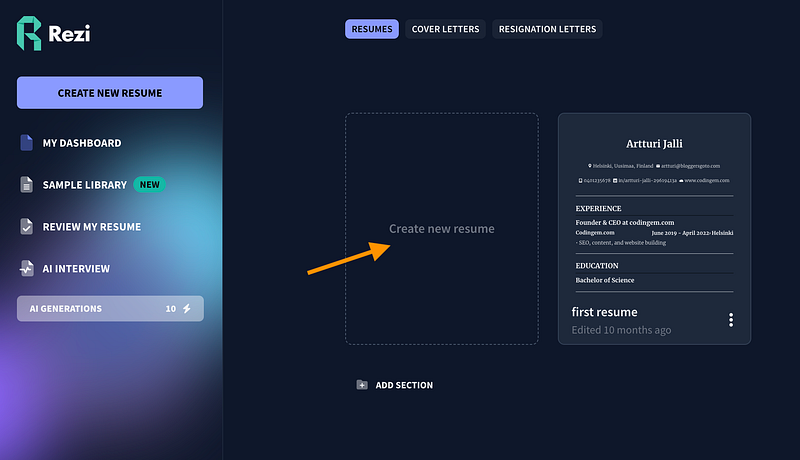
Click “Create a new resume.”
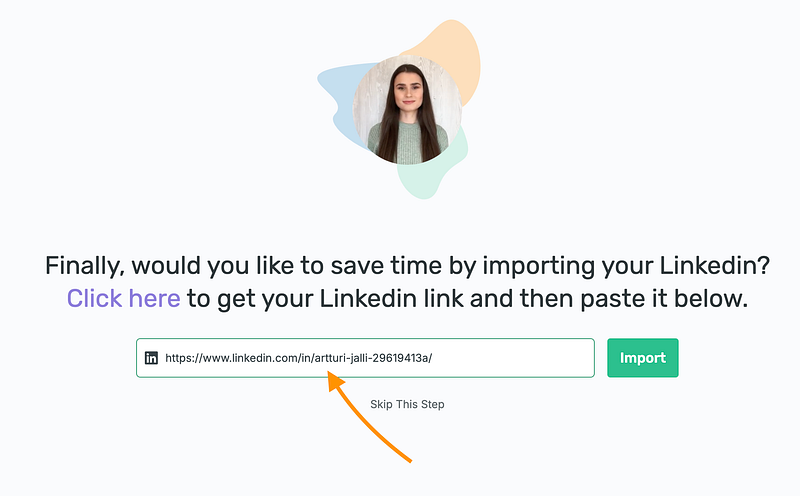
Next, tell the AI a bit about yourself. One thing I really like is the “Import your resume from LinkedIn” option. If your work history is already on LinkedIn, this saves a ton of time.
If you don’t have LinkedIn, just upload your resume and wait about a minute.
After it’s done, you can let the AI help tweak your CV, or make changes yourself.
Include your education:
The AI will create a clean resume for you—and even give it a score.
Of course, you’re not done yet. With Rezi, you can tweak things yourself, change the template, or let the AI adjust automatically.
It’s still pretty impressive. Instead of worrying about wording, layout, or design, the AI does most of the work. It shows your experience and skills in the best way possible.
Pros
ATS-friendly resumes with keyword targeting
Import from LinkedIn or upload a resume to save time
Real-time scoring and suggestions to improve your match
Clean templates and quick editing
Active community and helpful guides
Cons
Customer support can be hit or miss
Scores don’t always match other scanners
Some features require paid plans
Takes some practice to get bullet points just right
Pricing info can vary
Pricing
Free version available. Paid plans start around $2/month in promos, usually about $29/month depending on features.
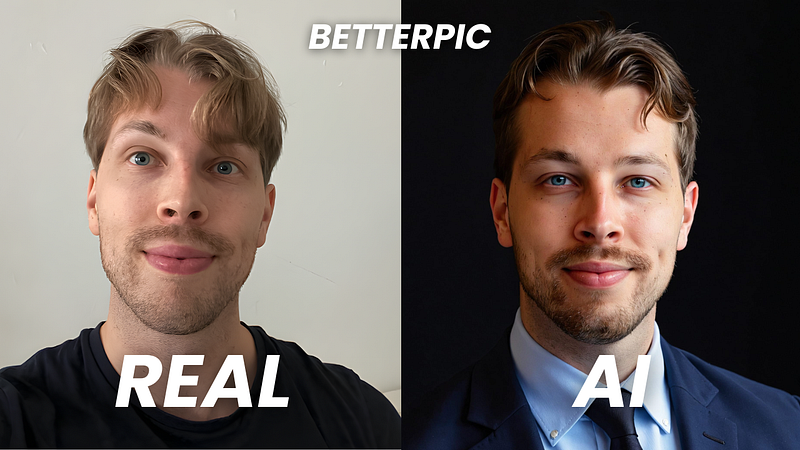
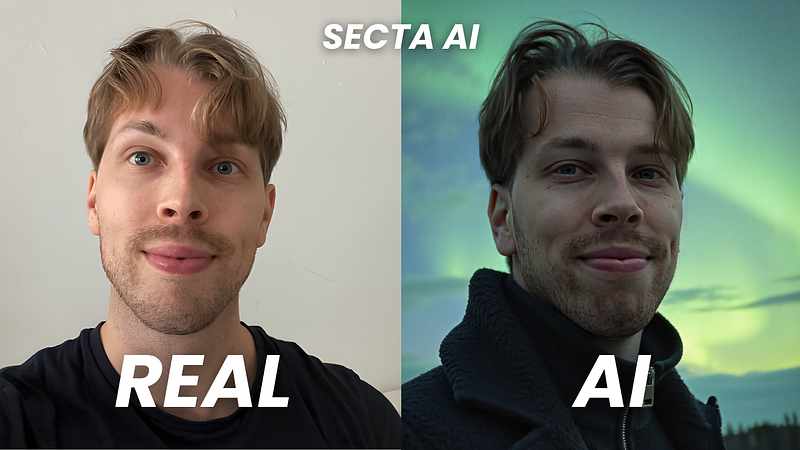
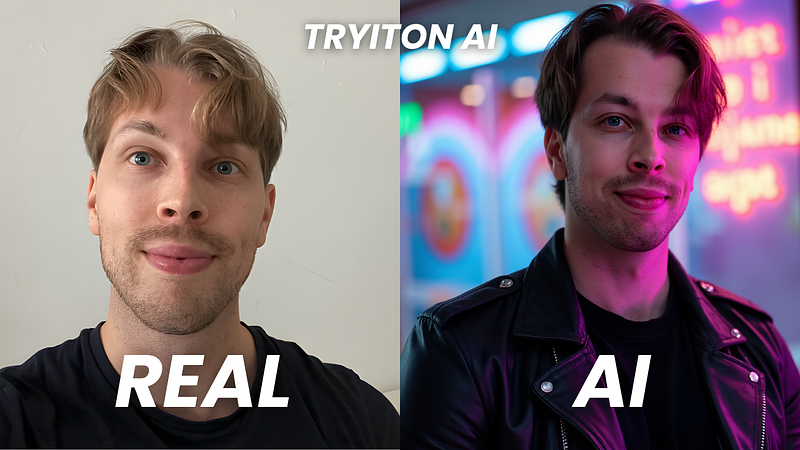
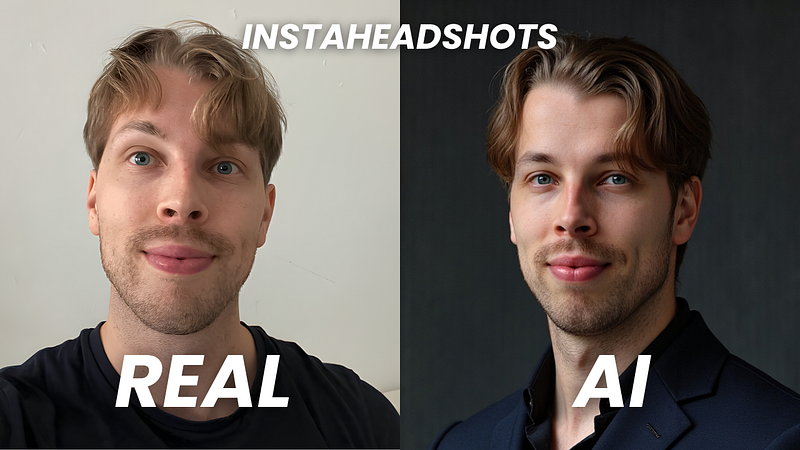
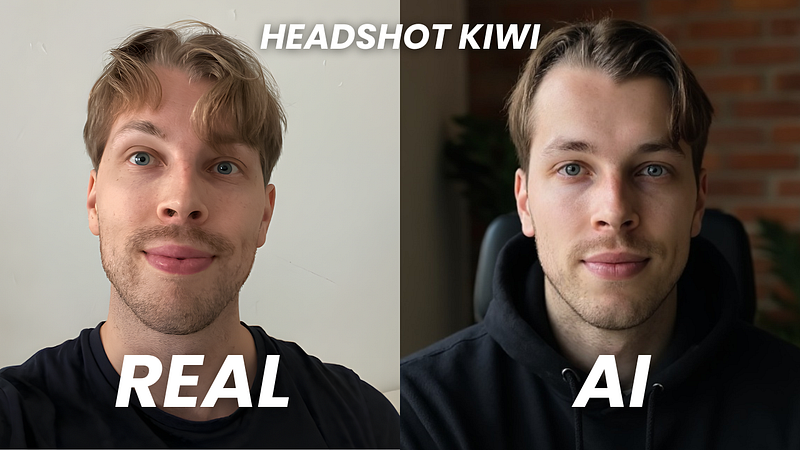
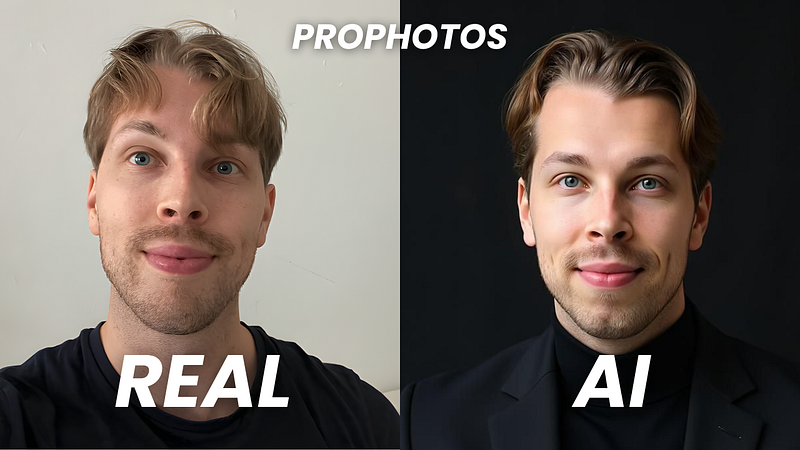
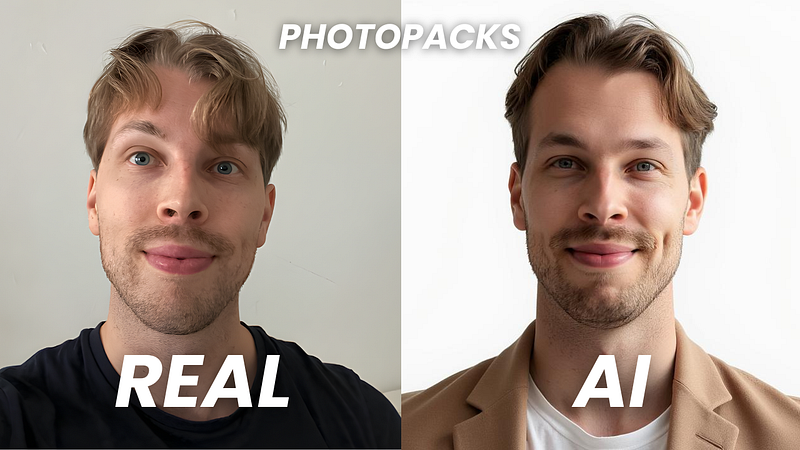
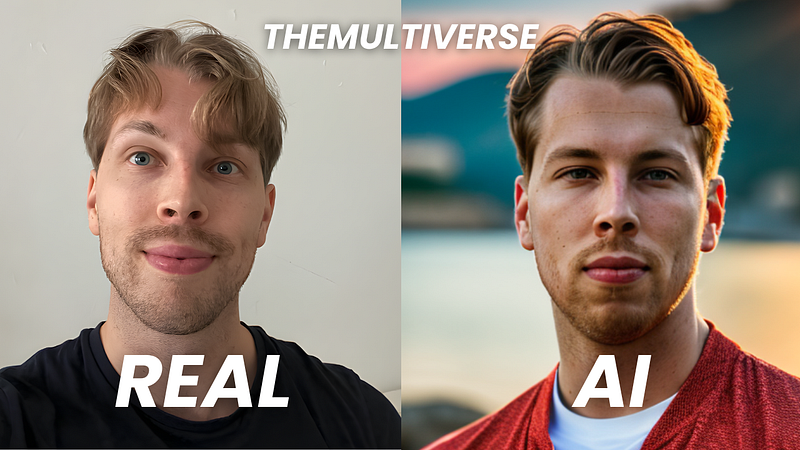
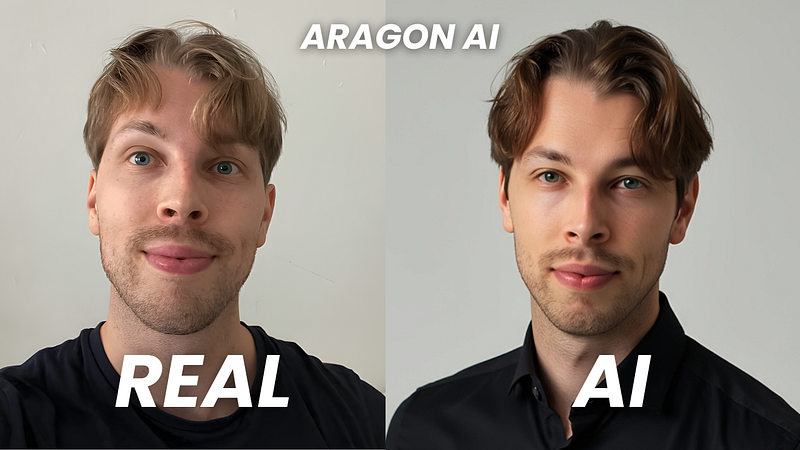
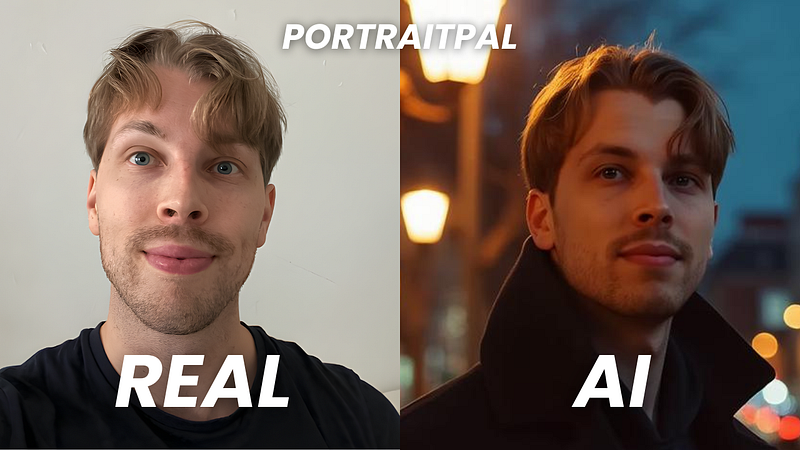
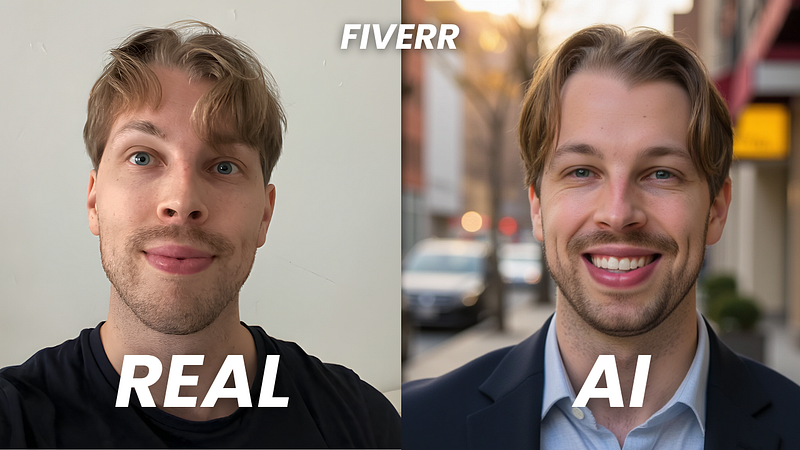
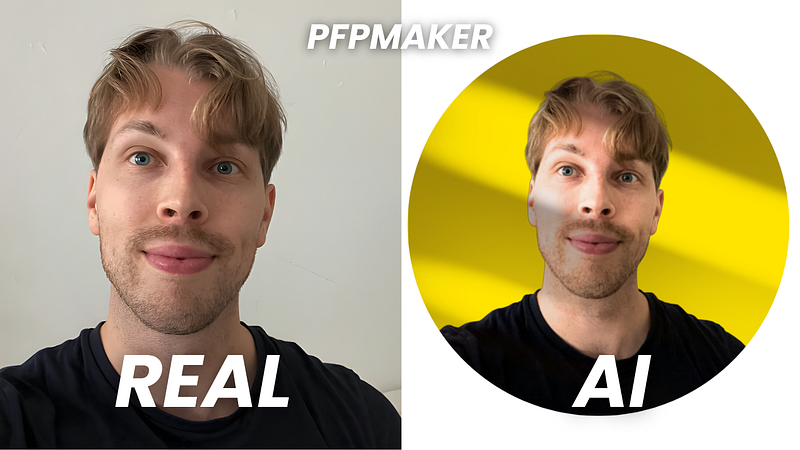
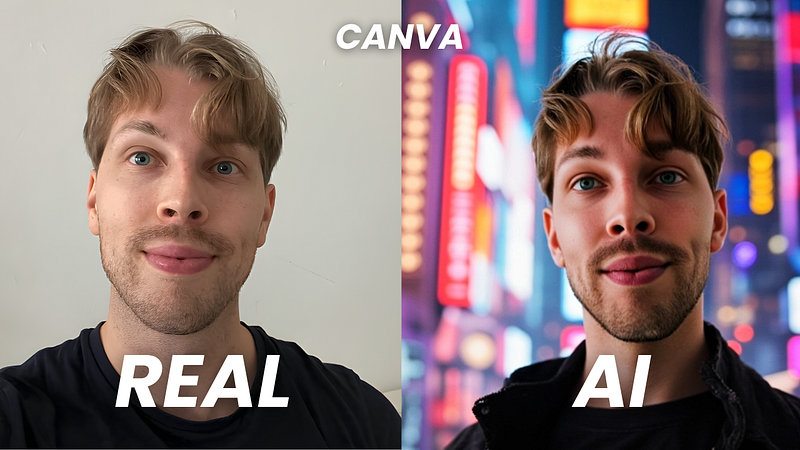
From my set, I found about 10 headshots I’d use on LinkedIn or other social media.
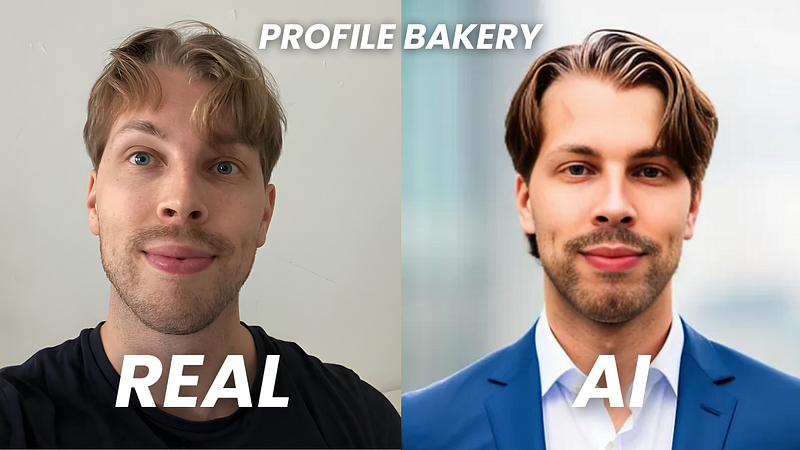
The Remix feature didn’t work well for me. Maybe smaller edits would keep the quality up and avoid blurriness. Some styles also felt a bit repetitive.
The price feels high if you only need one strong headshot, since there’s only one package for individuals. But if you need a larger set, the pricing makes sense.
Be ready to spend up to two hours to get your headshots.
For me, the hardest part was picking 8–16 good photos. That took about 30 minutes. The AI then needed at least another 30 minutes to render, sometimes longer.
You don’t need to keep the window open. BetterPic will email you when your headshots are ready.
Pricing & Value for Money
BetterPic offers three pricing plans:
Basic: $35
Pro: $39
Expert: $79
These are one-time payments, no subscription.
The pricing feels fair for the quality. Other tools cost about the same but don’t offer customization or refunds.
I recommend the Expert plan. It gives you more headshots, which matters since AI results can be hit or miss. Out of 100 images, you’re almost guaranteed to get a handful of great ones.
No hidden fees, but editing does cost credits you can buy when needed.
Next, pick a plan that works for you. The Professional or Ultimate plans are best. They give you HD photos and more headshots to choose from.
Then, specify your characteristics.
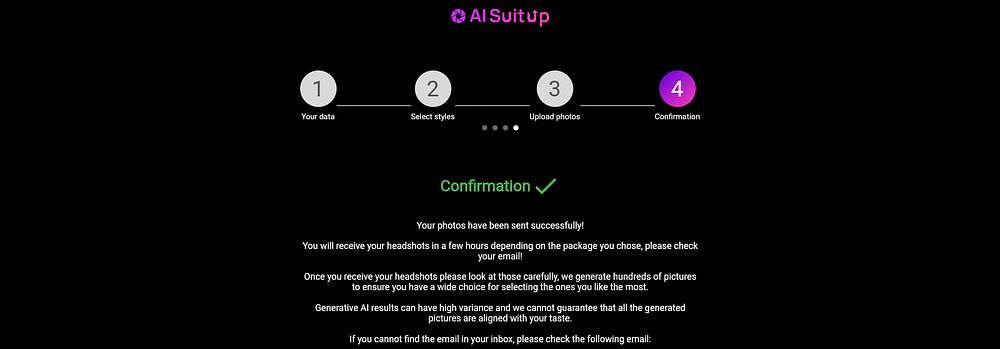
Also, please, pay attention to the upload details. This tool asks for a couple of selfies from you. But not just any. You have to provide images with good lighting, no others in the images, and so on.
AI SuitUp checks your selfies and points out the ones that are too blurry or not usable.
After that, confirm your selfies, hit send, and you’re good to go.
You’ll get an email when your headshots are ready. Click the link to view your photos.
Then just enjoy it!
Download them one by one or as a full set.
You can also share straight to LinkedIn.
Don’t forget to save the link to your album—it’s the only way to access your headshots.
Results
Let’s look at my results and check the quality.
This is the photo I picked as my base image.
And here are my AI headshots:
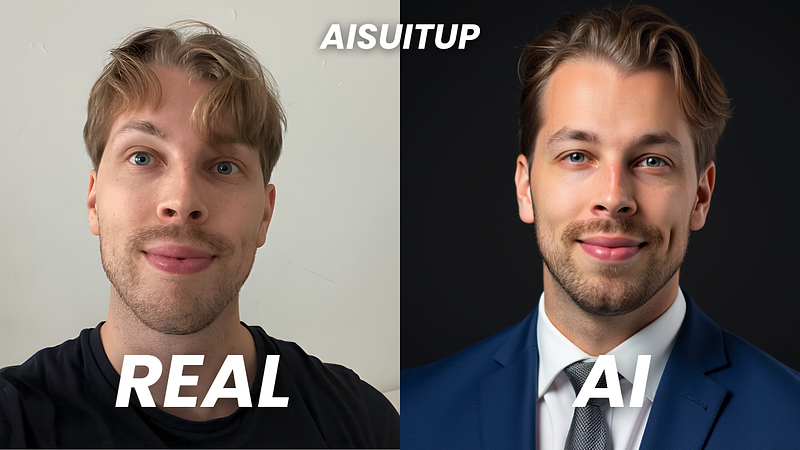
At first glance, the results look solid and quite accurate.
Here are my favorite headshots from the tool:
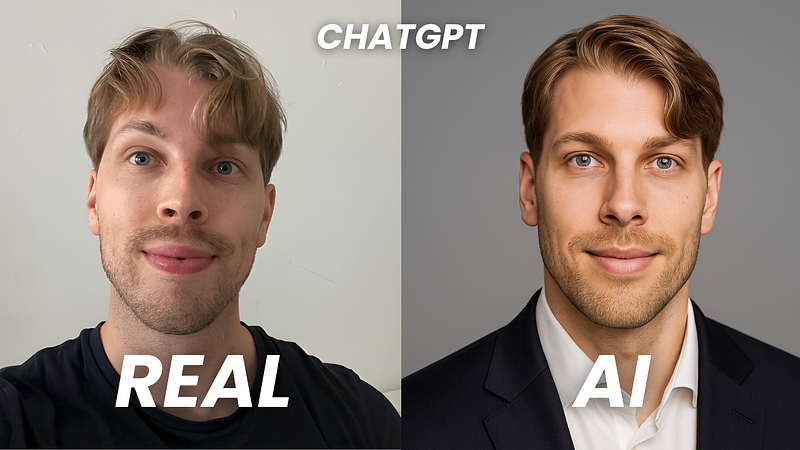
I think the photos look professional and capture me well, especially the eyes. My hair shows up at different lengths since I used selfies with different haircuts. A common issue I’ve had with AI headshots is looking 10–15 years older. These don’t age me too much, though I do look a bit more mature than I really am.
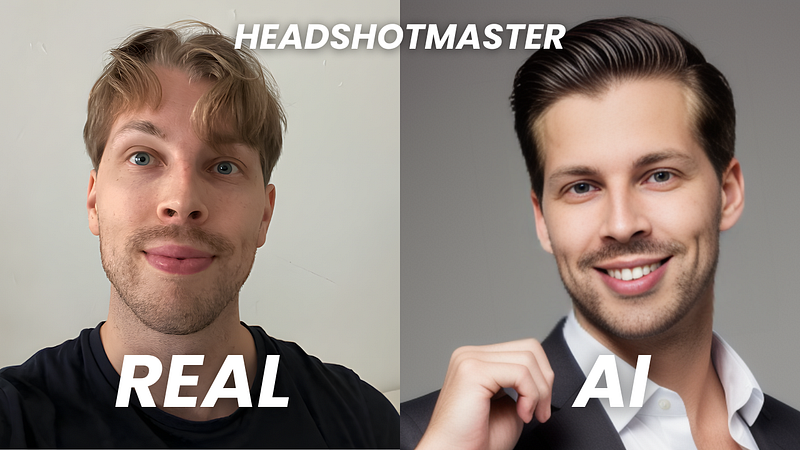
Of course, not every photo is perfect. It’s normal to get a few odd ones. Here are some examples of the misses.
They look a bit uncanny, if I’m honest.
Speed & Processing Time
The processing time depends on the plan.
With the Ultimate plan, my headshots were ready in about an hour.
Even with the Basic plan, if you upload in the morning, you’ll have new photos by the afternoon.
For me, the hardest part was picking selfies.
I don’t post much on social media, so it took some time to find good ones.
The pricing feels fair and affordable. It’s a one-time purchase with no hidden fees. The quality is worth it, especially with the Professional or Ultimate plan where you get 100–150 headshots. Plenty of great options for LinkedIn or other professional use.
Pros
Pretty affordable and one of the most cheap headshot generators on the market
The tool was super easy to use
Different styles and backgrounds for a versatile collection
Most headshots look accurate and usable
Clear instructions and selfie checks before submission
Cons
No option for customization
Some headshots make me look older than I am
A few headshots don’t look like me at all
The Wrap-Up: Is It Worth It?
AI SuitUp is a great choice for high-quality headshots at a fair price.
The photos look professional, and you can pick from different styles and backgrounds.
It doesn’t offer customization, but the headshots are strong enough to use as they are.
This is one of the best AI headshot generators I’ve tested. It beats the free ones by leaps and bounds. However, there are still some tools that beat this one too.
You can check the official list of the best AI headshot generators here.
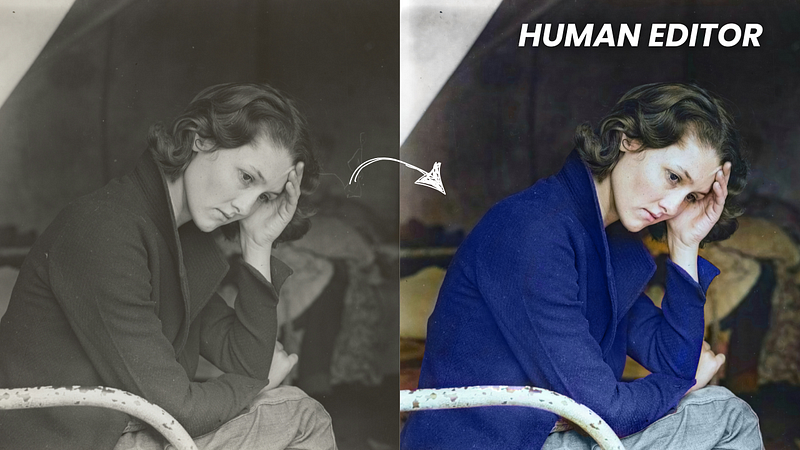
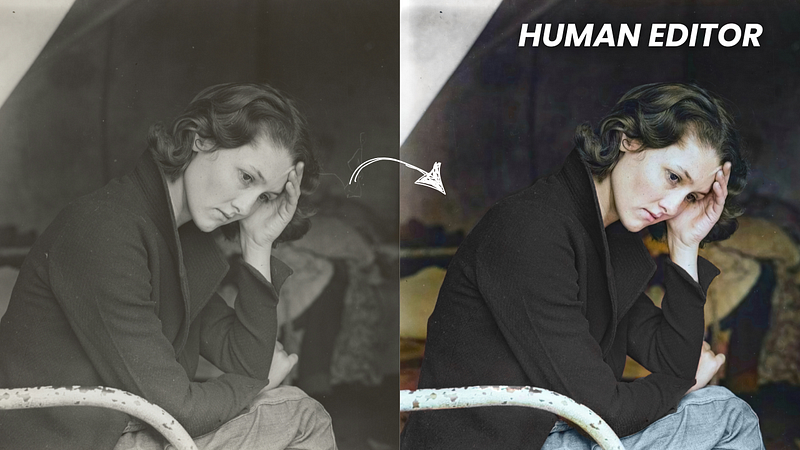
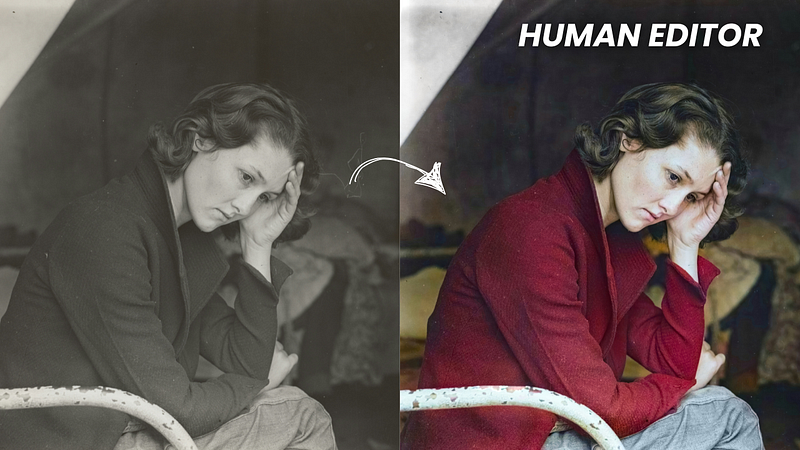
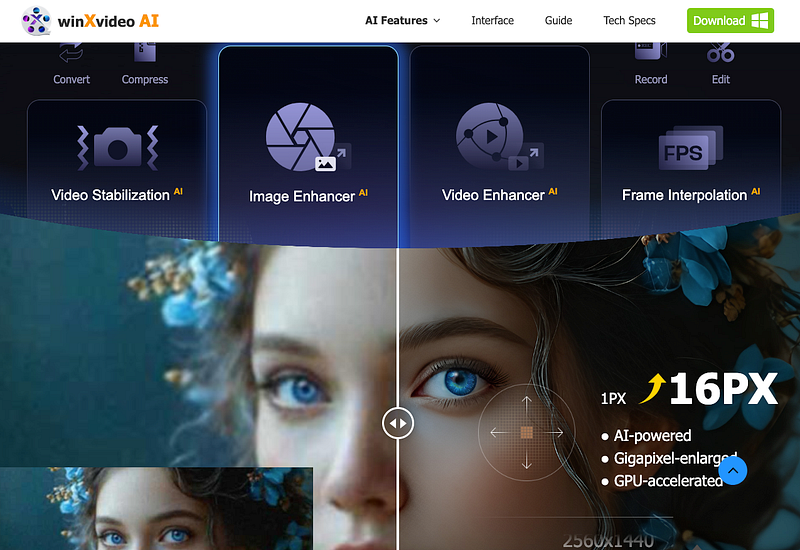
Winxvideo AI excels in colorizing black-and-white photos by Using advanced AI technology, Winxvideo AI can bring black-and-white photos to life with realistic colors.
To use it:
Install the software on your computer
Click “Image AI” and upload a black-and-white photo
Select “AI model” and “Colorizing Monochrome Image”
Preview and export the colorized image
Winxvideo AI takes a few extra steps, but the results are worth it. It doesn’t just add realistic colors — it also improves the image quality by removing scratches, stains, spots, and smudges from old photos.
My Experience with Winxvideo AI
I tested the colorization feature, and here are the results.
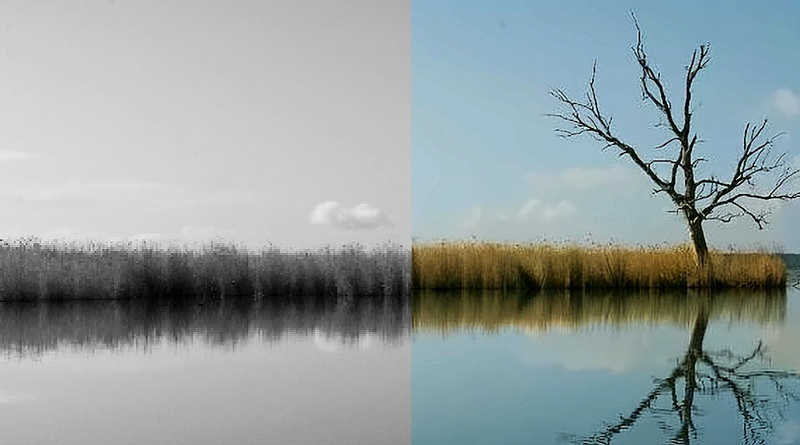
Here’s the input:
Here’s the image after being colorized with AI:
The colorizing process only takes a few seconds. The trees, grass, and sky all look natural and realistic. The sky is a clear blue, just like in real life.
Another great thing is how much the image quality improves. All the original details stay intact, and any blurry branches or grass are fixed, making the whole photo sharper.
Key Features:
AI-powered prediction and analysis
Fast black-and-white to color conversion
Realistic photo colorization
Preserves authentic details
Colorize multiple images at once
Pricing
Winxvideo AI is free to try. You can test up to 5 images with the trial version.
The full version has three plans:
1-year plan for 3 PCs: $25.95
Lifetime plan for 1 PC: $45.95
Family plan for 3–5 PCs: $57.95
For a limited time, there are special deals on both the 1-year and lifetime plans.
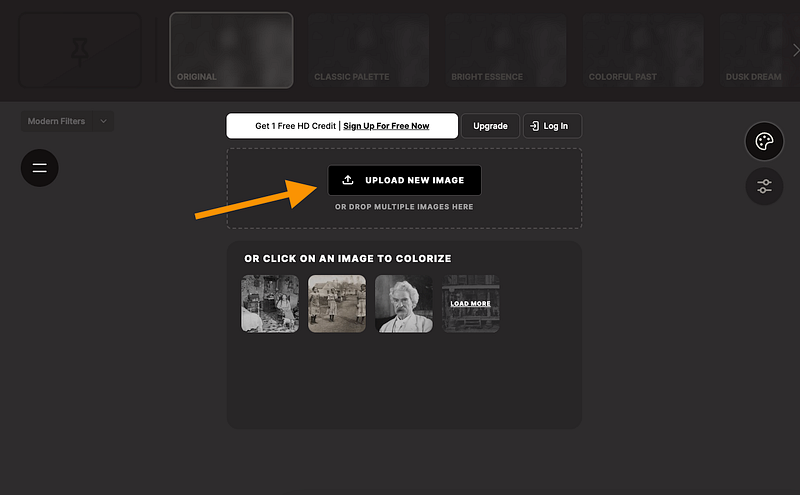
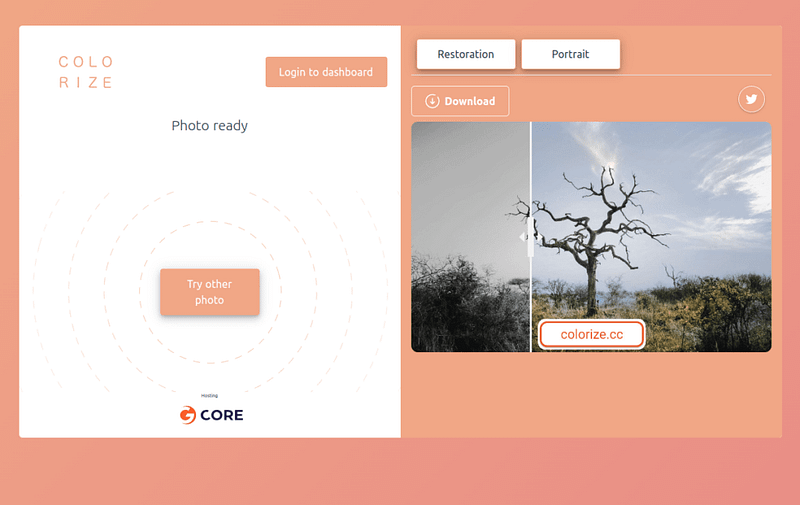
Colorize.cc is an easy-to-use AI image colorizer. You don’t need to download anything or sign up to use it. Even better, you can try it for free!
The main downside compared to most tools on this list is the watermark on the output images. Other than that, I think it’s a neat, good-looking tool, and I’m happy with the results.
To remove the watermark, you’ll need a paid plan. I’ll cover the prices later.
There are two AI engines you can use to colorize images:
Model V1 for people
Model V2 for other images like buildings, landscapes, and vehicles
To use the tool, go to the website, upload a photo, and get your colorized image. That’s it — no editors or downloads needed.
My Experience with Colorize
I ran the same test I did with the other tools, converting a black-and-white image to color.
Here’s the input image:
And here’s the result:
The process only took a few seconds, and the results look great.
This tool is definitely up there when it comes to the best options on this list. It’s hard to rank them because all of these tools give solid results, which makes sense since they use similar technology.
The only downside is the watermark, which you can remove by subscribing to a paid plan.
Key Features
Two AI engines for image colorization
Powerful AI to turn black-and-white photos into color
Image enhancement for restoring colors
Easy-to-use, simple interface
Free version includes watermarked images
Pricing
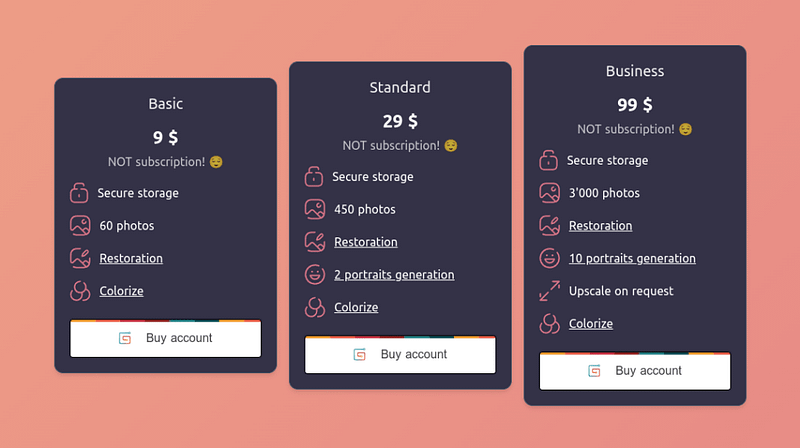
In addition to the free plan, there are three paid options. The main benefits of the paid plans are more images you can colorize and no watermarks on the output.
The plans are:
Basic: $9/month
Standard: $29/month
Business: $99/month
5. Hotpot.ai
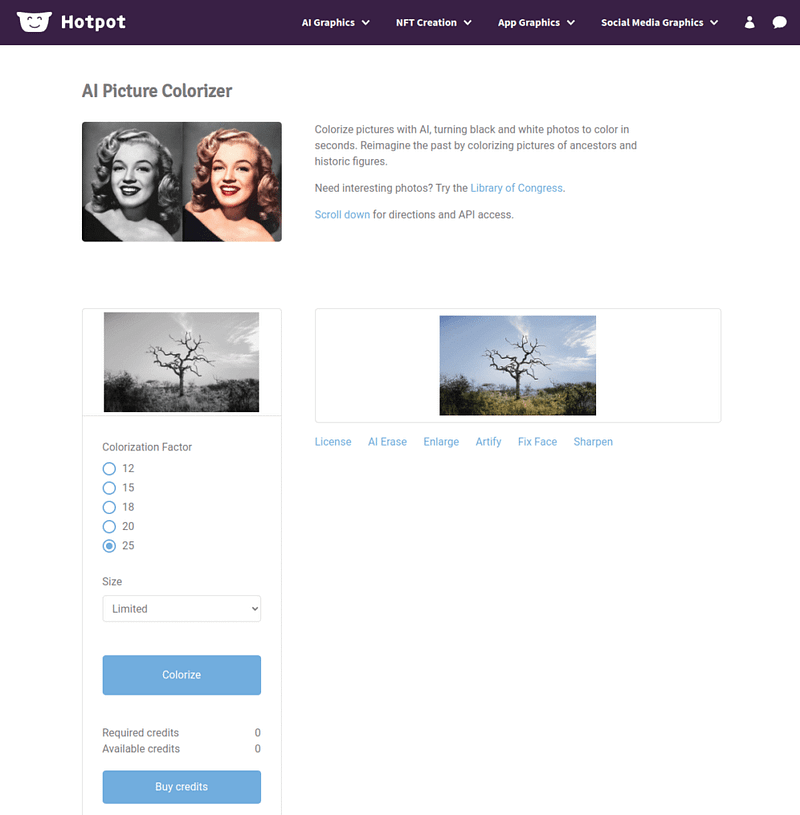
Hotpot AI is a simple way to colorize old black-and-white photos. You can also enhance the colors in older colorized images.
The tool is very easy to use. Just go to Hotpot’s website, upload a photo, wait a few seconds, and you’ll get a nicely colorized image.
Hotpot is perfect for anyone who wants to quickly and automatically add color to black-and-white photos.
If you want to fine-tune the result, you can adjust the colorization factor from 12 to 25, which can affect the image quality.
There are also several other options for your images. You can erase, enlarge, clarify, fix faces, and sharpen them.
The best part? You can try it for free, and no technical experience is needed.
My Experience with Hotpot AI
Here’s an example of me colorizing a stock photo.
Here’s the input:
Here’s the colorized version:
The result looks really good. The AI seems to understand the image well. The only thing I noticed is that the colors aren’t very vibrant, but overall, the AI did a great job.
Key Features
Colorize black-and-white photos
Enhance images
Works in your browser
Free trial you can try easily
Pricing
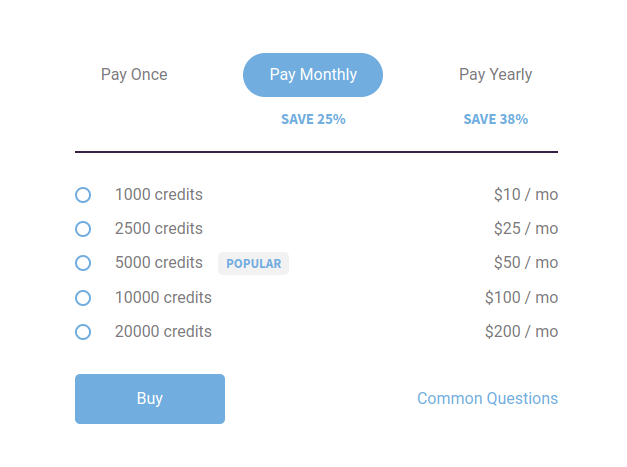
You can use Hotpot for free for personal use. If you want to use the image colorizer for commercial purposes, you need to buy credits:
1,000 credits: $10/month
2,500 credits: $25/month
5,000 credits: $50/month
10,000 credits: $100/month
20,000 credits: $200/month
6. Img2Go.com
Img2Go is a free AI tool for turning black-and-white images into color with realistic results.
It uses AI and deep learning to bring your photos to life.
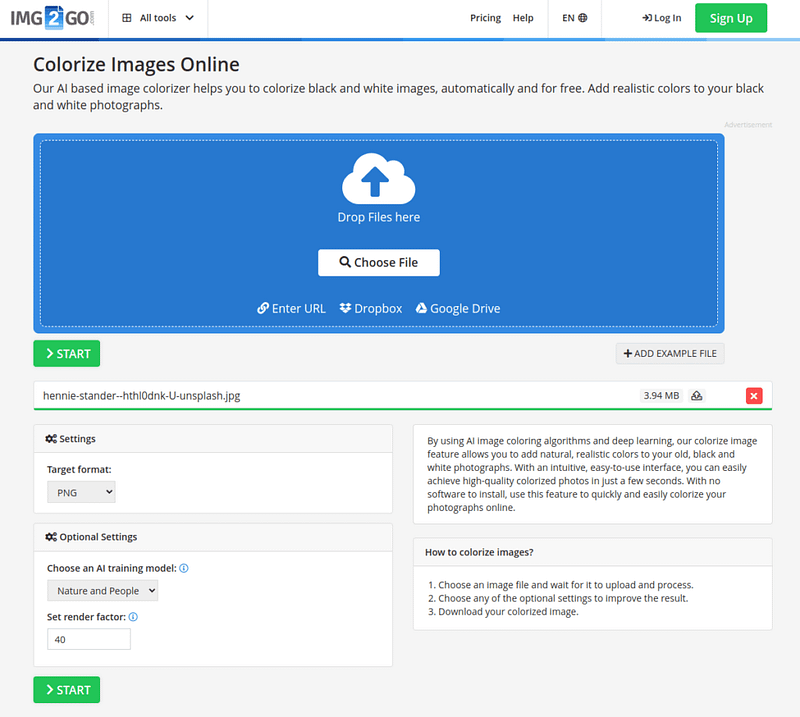
Like the other tools on this list, you just go to the website, upload an image, and wait a few seconds to get a colorized version.
You can also use Img2Go to enhance the colors of older colorized photos.
My Experience with Img2Go
Here’s the result when I converted a black-and-white image to color.
Here’s the original black-and-white image:
And here’s the colorized version:
To test this tool, I set the rendering factor to 40. It was a bit slower, but the image quality came out great.
To me, the result looks very natural — you wouldn’t guess it started as a black-and-white photo!
As you can see, the results are pretty similar to the other tools so far. 🙂
Key Features
Works online, no downloads needed
Add color to black-and-white images
Enhance colorized images easily
Very easy to use, with results in seconds
Pricing
This tool is completely free!
7. Playback.fm
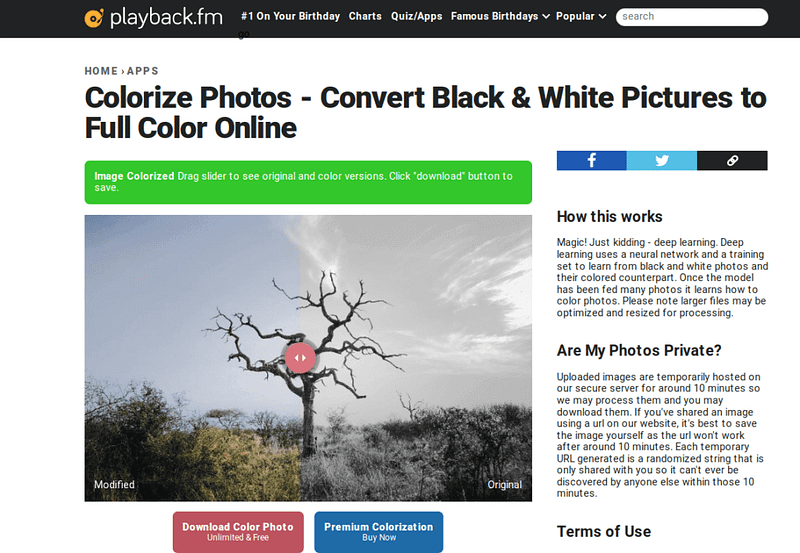
Playback.fm is an AI image colorizer that makes it easy to turn black-and-white photos into color.
You can use it for free, with no limitations. It’s simple to use — just upload a photo and wait a few seconds. The AI will create a colorized version quickly.
You can also use Playback.fm to improve the colors of photos that are already colorized but look faded or off.
The AI behind this tool recognizes objects in the image and colors them accordingly. It’s trained on millions of images using deep learning and neural networks.
My Experience with Playback
I tested the tool to colorize a black-and-white photo. The results look good and are similar to what the other tools on this list produced.
Here’s the original black-and-white image:
Here’s the colorized version:
Key Features
Online tool that is easy and free to use
Add color to black-and-white images in seconds
Uses advanced AI to colorize and enhance photos
Pricing
You can use this tool for free!
If you want even better colorization, there’s a premium version. You can see the price by colorizing an image and clicking the “Premium Colorization” button.
8. Picwish.com
Looking for an easy way to turn black-and-white photos into realistic, natural-looking color images?
Picwish is a fast solution for bringing old photos to life with natural colors. It’s also known for its API, which developers can use to integrate the service into their apps.
Like the other tools on this list, Picwish is easy to use. Just upload an image, let the AI work, and you’ll get a colorized photo in no time.
If you’re more technical and want to use their API, you can check out the API documentation for details.
My Experience with Picwish
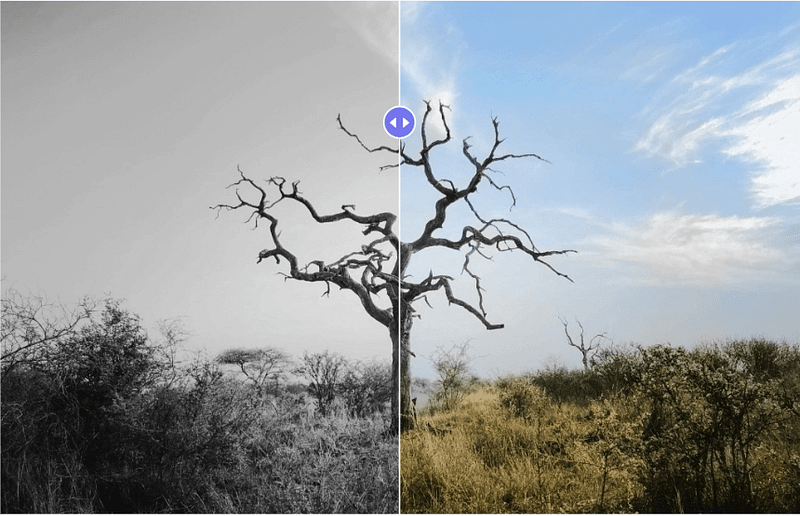
Here’s an example of how I used the tool on the same image I’ve been using throughout this guide.
I think the results look great. The AI seems to understand the image and colors each part correctly.
The only downside is that you need to create an account to download the colorized image.
Key Features
Uses advanced AI to colorize old images
Turn black-and-white photos into realistic, colorful images
Free to try
Easy-to-use interface with quick results, no technical skills needed
API available for developers to integrate into their apps
Pricing
The demo version is free — you just need to create an account to download the colorized images.
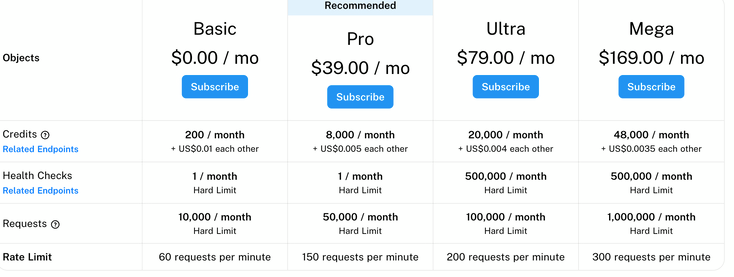
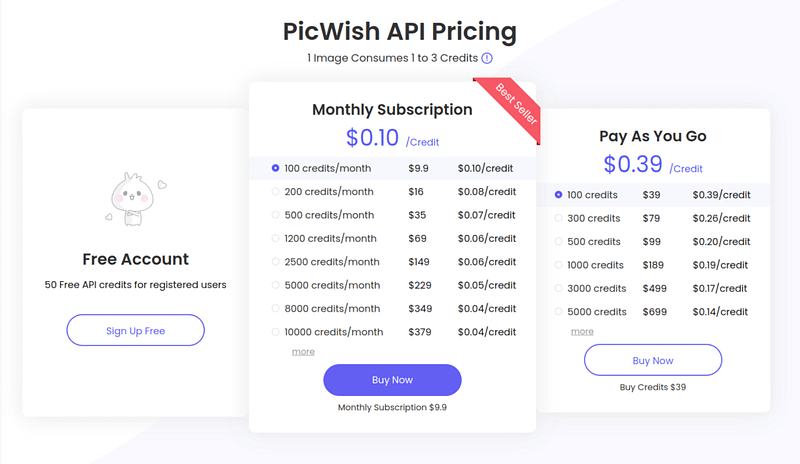
For developers who want to use the API more, here is the pricing:
The API is for anyone who wants to integrate this service into their apps or websites.
9. Vance.ai
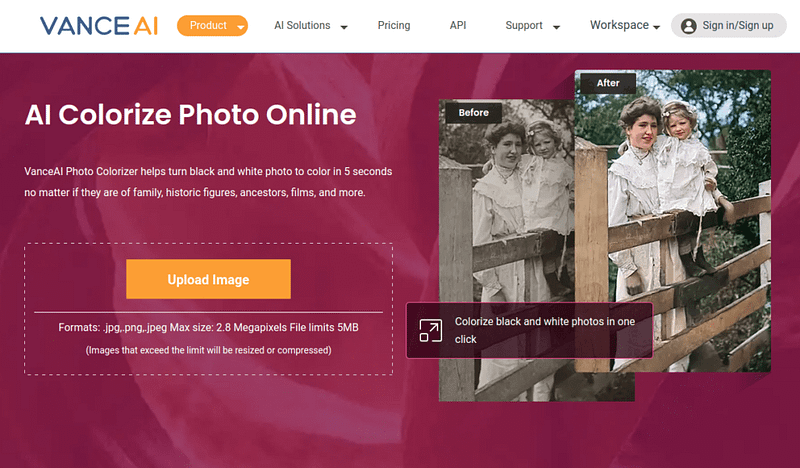
Vance uses advanced AI to turn black-and-white images into colorful photos.
It’s a quick and easy tool if you want to colorize images fast. You don’t need to sign up or download anything — it works right in your browser with a simple interface.
To colorize an image with Vance:
Open their website
Drag and drop your image
Wait about 5 seconds for the AI
Preview and enjoy the result
My Experience with Vance
Here’s an example where I turned a black-and-white image into a colorized scenery photo.
Here’s the original black-and-white image I used:
And here’s the colorized version:
I think the result looks pretty good. The colors are a bit muted, more on the black-and-white side compared to other tools, but the AI still understands the image and colors it well.
Key Features
Online photo colorizer — no need to install anything
Free trial for image colorization
Data-safe uploads — images are deleted within 24 hours so they don’t stay on the server
Pricing
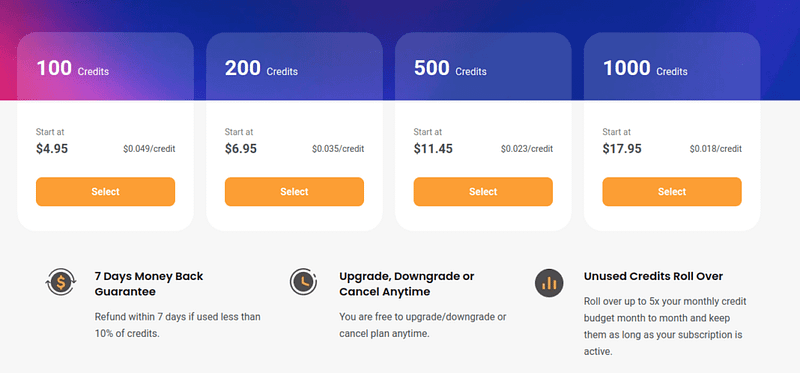
Besides the free plan, Vance AI has a credit-based payment system for power users:
I tested Walter Writes AI humanizer to save your time and money.
In this post, I will show you my results, experience, and whether it’s worth it or not.
Let’s start!
Disclaimer: This post has affiliate links at no cost to you.
Core Features
Here’s a sneak peek at the core features.
Converts AI text into natural, human-like writing
Adjusts tone (casual, academic, professional, etc.)
Passes AI detectors like Turnitin and GPTZero
Fixes grammar, flow, and awkward phrasing
Fast processing (under 30 seconds)
Works in 50+ languages
Built-in AI detection preview
Handles long texts (paid plans)
Batch processing available
Now, let’s move on to my experience and results with this AI humanizer.
My Experience
How to Use It
First, before I share the results, let me quickly show you what it’s like to use this tool and how to do it yourself.
I found out that this tool is easy to use. Just sign up.
You’ll then see the AI humanizer dashboard. Then copy-paste some content into the view.
Tweak the humanization settings for a better-tailored output.
Then click “humanize” to start the process.
Depending on your text chapter length, it should only take less than a minute for you to see your humanized text.
That’s pretty simple, isn’t it? Anyone can learn how to use these tools in a second.
Based on this, here’s my take on Walter AI when it comes to the usage and speed.
Feature / Criteria
Score (0–10)
Ease of Use
8
Speed of Processing
9
Output Quality
6
Maintains Original Meaning
7
Tone Naturalness
7
Customization Options
8
Pricing Transparency
7
Free Usage Availability
4
UI
7
Overall Score
7
That’s decent!
However, thus far, everything could be just hype. The tool could look cool, they could have a big budget on ads, but the performance is still a question mark.
Let’s find that out next!
Results
I ran the humanized output through a few popular AI detectors to see how well it holds up.
A score of 0% means the detector thinks the content is still fully AI-written.
A score of 100% means it’s human-written.
Here’s what came back:
Content Type
Winston AI
Originality AI
QuillBot Detector
Undetectable.ai Detector
Formal Essay
7%
100%
100%
49%
Casual Blog
83%
100%
100%
50%
Creative Writing
0%
100%
100%
36%
Technical Expl.
1%
100%
100%
99%
Total Average
22.5%
100%
100%
58.5%
Based on this, the average AI detector score for Walter Writes AI was just 70.31%.
That means 7 out of 10 times Walter AI was able to humanize the text, but 3 times out of 10 the AI detectors could still tell it’s AI content.
That’s way too unreliable.
Other Observations
Is the Text Actually Good?
Walter Writes AI was able to fool the detectors most of the time. However, that doesn’t say much if the content is garbage.
Let me give my honest opinion of the tool’s output quality.
To give you an example, here’s a short section of a Walter AI humanized piece of text:
Neural networks are an important aspect of modern artificial intelligence. Neural networks resemble, in some loose way, how neurons act in the human brain. Neural networks are composed of interconnected nodes in many layers. Nodes accept inputs, apply an activation function, and send outputs to the next layer. If someone had to choose a particular network structure, feedforward neural network is the predominant form. Neural networks are used for classification, regression, and different forms of pattern recognition. Training a neural network utilizes the backpropagation process. An error is achieved based on the models prediction and the actual value. The backpropagation process will optimize the weights of the network using an optimization algorithm called gradient descent, to minimize the loss.
To me, this seems hard-to-read text that is designed to trick AI detectors. It still sounds like AI, but it just lacks the typical AI jargonized patterns.
It has those repetitive high-schooler writing patterns that are super hard and annoying to read.
I noticed this in almost all of the samples I tested it with.
Free Trial Limits
A good software has a free trial.
If the team is confident that the users will love the product, they’ll surely offer it for free—unless it’s like crazy expensive to run free and the results are guaranteed.
Walter Writes AI has a free trial with which you can play with.
However, it’s just 300 words. That’s a very limited free trial, but still a free trial nonetheless.
Pros
Here’s what I liked about Walter Writes AI.
Easy to use
Free trial
Fast processing
AI detector (although I had to use 3rd party ones to get reliable results)
Cons
Here’s what I didn’t like about it.
Works just 70% of the time based on my 16 random tests. This is not good at all.
The text is hard to read, the sentences are super long. It sounds like something that has been designed to trick the AI detector algorithms.
Pricing
Here’s a quick summary of the pricing of Walter Writes AI:
Instead of using Walter AI to humanize text, what if we used ChatGPT instead?
ChatGPT can just as well rewrite text, right? Especially if we use a clever prompt.
I tried this. Here’s the AI humanizer prompt I used in ChatGPT:
The Humanizer Prompt
Take the following content and rewrite it so it sounds like it was written by a human — not just any human, but one with natural quirks, opinions, emotional undertones, and stylistic imperfections.
Add:
Mild personal anecdotes, observations, or casual asides where appropriate.
Vary sentence lengths and structure — mix in fragments, rhetorical questions, even informal phrasing.
Use colloquialisms, contractions, and slight inconsistencies in tone or pacing — like a real person would.
Occasional humor, uncertainty, or opinion — avoid being perfectly neutral.
Avoid repetitive phrases, generic transitions, or robotic patterns.
The goal is to sound like a thoughtful, slightly flawed, expressive human — not a polished AI. Rewrite accordingly.
Here are the AI detection scores I got to my humanized text pieces:
Content Type
Winston AI
Originality AI
QuillBot Detector
Undetectable.ai Detector
Formal Essay
1%
70%
100%
99%
Casual Blog
19%
100%
100%
48%
Creative Writing
19%
99%
100%
99%
Technical Expl.
1%
99%
100%
99%
Total Average
10%
92%
100%
86.25%
If we sum up the AI detector scores, we get an average of 72.06%.
Let’s compare this score to Walter Writes AI, which gave an average AI detection score of 70.31%.
Walter Writes AI got an average score lower than ChatGPT.
This means ChatGPT is a better AI humanizer than Walter Writes AI.
Also, you can use ChatGPT for free much more than Walter AI.
Final Verdict
Walter Writes AI is not a reliable AI humanizer tool.
In fact, you get better human scores by just rewriting your text using ChatGPT.
Whether it’s ChatGPT or Walter Writes AI, I don’t recommend using either one for humanization. Those simply aren’t reliable enough.
My Test Data
To test the AI detectors, I generated four text samples with ChatGPT AI.
I then entered the text samples to the AI humanizers to get the humanized results.
Then I entered those into AI detectors again.
Here are the four text chapter I tested the humanizers with:
📄 1. Formal Essay (Topic: Climate Change Policy)
Climate change represents one of the most critical challenges facing humanity today. Rising global temperatures, melting ice caps, and extreme weather events are no longer distant threats but daily realities. Governments around the world must act swiftly and decisively to implement effective climate policies. These may include carbon pricing mechanisms such as taxes or cap-and-trade systems, increased investment in renewable energy sources, and stricter regulations on emissions from transportation and industry. Public awareness campaigns can also play a vital role in shifting societal behavior. Equally important is international cooperation, as climate change transcends national borders and requires a unified global response. Failure to act could result in irreversible damage to ecosystems, widespread food insecurity, displacement of populations, and escalating economic costs. Therefore, climate policy must strike a balance between environmental urgency, economic sustainability, and social equity to ensure a livable future for generations to come.
📝 2. Casual Blog Post (Topic: A Trip to Lisbon)
I didn’t expect to fall in love with Lisbon, but that’s exactly what happened. From the moment I stepped off the plane, the city greeted me with warmth, charm, and ridiculously good food. I spent most of my time wandering through the winding alleyways of Alfama, where laundry hangs from balconies and the sound of Fado music drifts out of open windows. One of my favorite moments was watching the sunset from Miradouro da Senhora do Monte — the sky turning gold over terracotta rooftops. Trams rattle along narrow streets like something out of a movie, and the people are as friendly as the weather is sunny. Of course, I couldn’t leave without trying a fresh pastel de nata (or three). Lisbon has this laid-back energy that makes you feel like you’re meant to slow down. It’s definitely a place I’ll return to someday.
🎨 3. Creative Writing (Scene: Rainy City)
Rain slid off rooftops and hissed against the pavement, turning the city into a blur of glistening reflections and scattered light. Mara moved through the quiet streets, her boots splashing through shallow puddles as headlights shimmered across wet asphalt. Somewhere above, jazz spilled softly from a second-floor window, a saxophone solo bending against the rhythm of the storm. The city felt alive in its stillness — holding secrets in every alley and whispers in the fog. Under the streetlight, her silhouette stretched behind her like a forgotten memory. She wasn’t sure where she was going, only that tonight wasn’t meant for staying still. With every step, the rain seemed to erase just a little more of the past, washing away the weight she hadn’t realized she was carrying. In the quiet of the storm, she finally felt something close to free.
🧠 4. Technical Explanation (Topic: How Neural Networks Work)
Neural networks are a foundational component of modern artificial intelligence, modeled loosely after the way neurons work in the human brain. At their core, they consist of layers of interconnected nodes, where each node receives input, processes it through an activation function, and passes the result to the next layer. The most common type is the feedforward neural network, which is used for tasks like classification, regression, and pattern recognition. Training involves a process called backpropagation, where the network adjusts its internal weights based on the error between its predictions and the actual outcomes. This adjustment uses an optimization algorithm known as gradient descent. Over many iterations and data samples, the network improves its performance by minimizing loss. Neural networks power a range of real-world applications — from facial recognition and voice assistants to recommendation engines and autonomous vehicles. Their ability to learn complex patterns makes them incredibly powerful, but also computationally intensive.
My Opinion in AI Humanizers
I’m testing AI humanizer for fun and to keep track of what I’m seeing—not as some kind of deep-dive research project.
The results are based on small samples, and things in the AI world change so fast that what works today might flop next week.
If you’re looking for more reliable data, you’d need to run way more tests, way more often.
Also, I don’t really buy into the whole “humanize your AI content” thing or the obsession with detection tools.
AI content isn’t automatically bad.
The real issue is when content—AI or human—just says the same stuff everyone’s already said.
For me, the only thing that matters is whether the person writing actually knows what they’re talking about.
If you’ve got no real experience or insight, you probably shouldn’t be writing it.
In fact, as a blogger, I’ve never seen any content creator see any results with “just another post” or “just another video” about a topic—whether it’s human or AI-written.
Don’t use AI to write. It just… doesn’t get you anywhere in life.